







Business
Custom Manufacturing Software: Should You Build Beside Your Erp?

sachin pokharel
26 Oct 2026
Consider custom manufacturing software when a verified production gap keeps causing delays, rework, or missing records that suitable existing tools cannot resolve.
The operational benefit must also justify development and long-term support. You do not need to replace your enterprise resource planning (ERP) system to fix that gap.
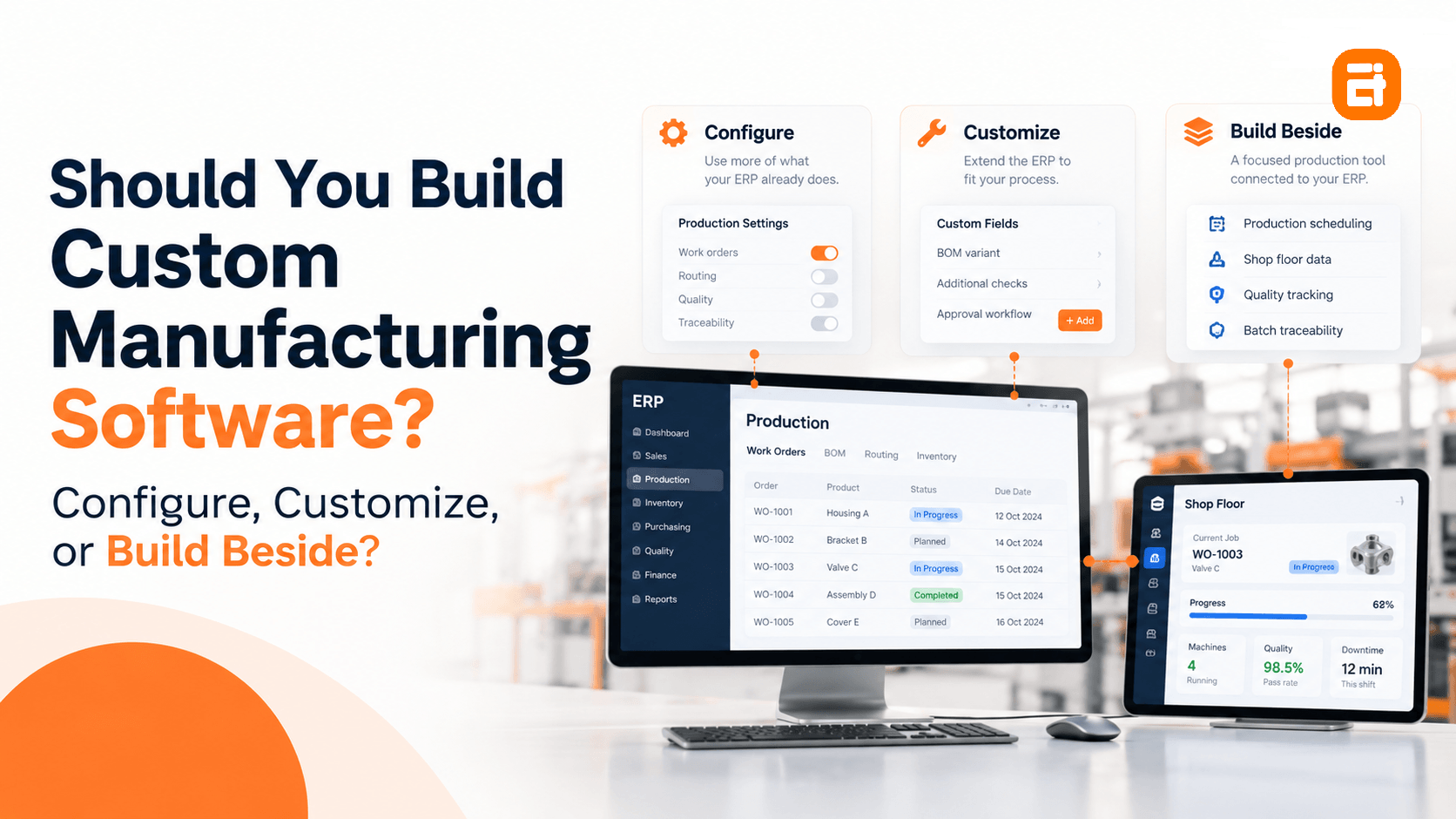
The practical choice is to configure existing functions, customize ERP behavior, or build a connected production tool beside it. This guide tests those options against the work happening on your factory floor.
Key Highlights
- Test existing production functions before paying to rebuild them.
- Keep transaction-level production checks within supported ERP extension points where appropriate.
- A separate shop-floor tool still needs reliable integration, testing, and maintenance.
- Traceability depends on recorded production events, not a better report alone.
- Production staff must help define, test, and own the workflow before rollout.
Custom Manufacturing Software vs ERP: Three Options, Not Two
Configuration avoids rebuilding existing functions, supported customization adds production checks inside the ERP, and a separate tool addresses shop-floor gaps without replacing the core.
The important difference is where the production logic lives and what you must maintain when the ERP changes.
The table below compares these three options by implementation time, cost, upgrade requirements, vendor support, fit with production workflows, and operational risk.
| Comparison criterion | Configure the ERP | Customize the ERP | Build beside the ERP |
| Implementation work | Setup and production testing | Development and regression testing | Application, integration, and pilot testing |
| Upfront cost | Configuration, data cleanup, training | Development plus ERP-specific testing | Focused build plus integration and devices where needed |
| ERP upgrade cycle | Retest configured workflows | Retest extensions; core changes may need rework | Separate application code; retest interfaces and connected workflows |
| Vendor support | Within the vendor’s supported setup | Depends on the extension method and support terms | ERP vendor supports its interface; the application needs its own owner |
| Fit to production | Within existing routing and planning rules | Adds supported transaction-level behaviour | Handles a distinct scheduling, capture, or quality workflow |
| Risk if it fails | Incorrect settings can disrupt production | Faulty logic can interrupt ERP transactions | Bad data or unavailable integration can disrupt dependent work |
The upgrade distinction is core modification versus supported extension, not simply custom versus standard.
Most ERP platforms distinguish between in-system extensions and side-by-side applications that keep custom code separate from standard functionality.
Neither approach removes the need to test connected production workflows when the system changes.
If the gaps extend beyond production into the wider platform, our custom versus standard ERP guide addresses that broader decision.
Before You Build: What Your Manufacturing ERP Can Already Do
Configuring existing scheduling, inspection, or traceability functions can remove manual production work without commissioning another application.
A whiteboard or spreadsheet does not establish that the ERP lacks capability. Test the actual process before treating the workaround as a manufacturing ERP limitation.
Existing systems can already provide functions such as constrained scheduling and linked quality records.
- Ask what the module already does: Request a demonstration using a real work order, inspection, and batch. Confirm licensing, setup, and operator access.
- Ask whether the process can be configured: Show the exact routing, material substitution, or release approval. Ask where existing rules stop supporting it.
- Ask what the last upgrade broke: Identify the affected custom logic and repair effort before choosing how to extend the system again.
- Ask what data the ERP exposes: Check supported interfaces for orders, materials, status, and production results, including permissions and update frequency.
Five Production Gaps to Test in Your Manufacturing ERP
Wrong components, unworkable schedules, missing inspection evidence, incomplete traceability, and delayed machine data can create production rework and postpone release decisions.
Each test below connects a shop-floor consequence to the records or rules behind it:
1. Bill of Materials (BOM) Variants and Configured Products
BOM variants that do not match the customer’s configuration can send the wrong materials to the floor and create avoidable rework.
For example, a configured pump might need a different seal, motor, and test sequence. Manually copying a bill of materials for every combination makes revisions difficult to control.
Customer options must remain connected to the components and routing on the production order.
This does not necessarily require custom code. Configurable-product functionality, meaning variants with their own bills of materials and routings, is a standard capability in many ERP platforms, not something that has to be built from scratch.
Test a real option combination, an approved substitution, and a revision against your system.
2. Scheduling Against Real Constraints
A schedule that ignores tooling, operator skills, material availability, or changeover time can leave machines waiting and push work orders behind plan.
Consider a job requiring a particular press, die, and trained operator. A free machine slot is insufficient if the die is unavailable.
A breakdown can then change the feasible sequence and changeover time for later jobs.
Microsoft’s job-scheduling includes finite capacity, material availability, and resource combinations. Test production scheduling software against an actual disruption, not just an undisturbed shift.
Identify whether the failure comes from a missing capacity constraint, inaccurate availability, or unsupported scheduling logic before choosing the remedy.
3. Quality Records and Non-Conformance
Disconnected inspection records can delay batch release because staff must reconstruct the test results, corrective actions, and approval behind each decision.
Keep inspection results, deviations, corrective actions, and sign-offs attached to the relevant work order or batch.
Test retrieval of a complete non-conformance record, not just a pass-or-fail result.
Quality management modules built into many ERP systems are designed to connect test results, supporting documents, and corrective actions to a single record.
Define the evidence your quality procedures require, including applicable ISO 9001 requirements, before specifying software fields.
AITC built its internal inventory management system for company IT operations, linking equipment with invoices, warranties, and asset history.
A factory faces a comparable record-linking problem when inspection evidence is stored separately from its batch, although the production controls are different.
4. Batch and Lot Traceability in Both Directions
Missing batch links prevent you from identifying every affected finished product or tracing a customer complaint back to its source.
Record batch and lot relationships at receipt, consumption, production, and dispatch, retaining the relevant shift and machine context.
Include splits, merged inputs, and rework where those occur. The GS1 Global Traceability Standard identifies input-output links as essential to tracing transformation events.
Batch traceability software needs those recorded relationships; a report cannot recreate evidence that was never captured.
New configuration or capture tools prevent future gaps. If missing stock movements contribute to the problem, assess the underlying inventory-system limitations as well.
5. Machine Data That Never Reaches the System
Late machine data leaves supervisors planning the next shift without reliable information about downtime, scrap, or completed quantities.
A controller holds run time while an operator records machine downtime reasons on paper. Re-keying both later delays the view of scrap rate and yield.
Capture events against the correct machine, work order, and time, so production totals retain their context.
A separate application is not automatically a custom project. Many ERP platforms already support integration with manufacturing execution systems for production status, quantities, material consumption, and time.
Check existing connectors or specialist shop floor software before developing new capture logic.
Does Your Factory Need Custom Software? A 5-Question Test
Consider custom software when a verified production gap causes recurring delays, rework, or missing evidence that configuration and suitable existing products cannot resolve.
These five questions help distinguish configuration work, ERP customization, and a separate production application.
An individual answer identifies something to investigate, not automatic permission to build.
- Has the ERP module been configured and genuinely tried? If not, test it on a real production job before commissioning manufacturing software development that could duplicate existing capability.
- Did your last upgrade break customization? Identify the dependency, then compare a supported extension with a separate application rather than repeating the same core modification.
- Does the gap involve data the ERP never captures? Check available capture tools and connectors first; missing historical data does not establish that custom software is the only option.
- Is the gap in one process or many? For a gap in one process, compare ERP configuration, a supported extension, and a separate tool. If it affects several processes, review the ERP’s setup, data, and overall fit before adding fixes.
- Does the ERP expose usable interfaces? Confirm records, permissions, timing, and error handling; without a suitable API, investigate supported connectors or controlled data exchange before committing.
What Custom Manufacturing Software Costs
Custom manufacturing software costs include development, integration, devices where needed, migration, training, hosting, and ongoing support. Include retained ERP fees and remaining shop-floor work to avoid understating the total.
Compare this with current software fees and the staff time spent revising schedules, completing quality paperwork, re-entering machine data, and correcting errors.
Also account for ERP upgrade testing and any rework needed for existing customizations you retain, whether or not you commission new software.
To identify work hidden between records, map the handoffs. During Recipe Studio’s discovery, AITC traced kitchen recipes and cost information across spreadsheets, chats, and staff memory.
In a factory, apply the same mapping method to the employees who update, approve, and re-enter schedules or quality records.
A focused scheduling or shop-floor capture tool can avoid replacing the ERP, but it does not remove ERP fees or integration maintenance.
Include devices where needed, migration, training, hosting, and the staff work that remains alongside development and support.
Compare all three options over the same period. Before commissioning custom software for manufacturing, test how the proposed workflow exchanges orders and results with the ERP, and assign responsibility for failed transfers.
Our guide to software development costs explains the broader scoping factors.
Find Out Which of the Three You Actually Need
A focused review can separate a configuration issue from a genuine development requirement before you commit production time and budget. Discuss the shop floor problem and your existing ERP setup with our team in a 30-minute consultation.
When a Manufacturer Should Not Build Custom Software
A manufacturer should not build custom software while relevant ERP capabilities remain untested; shift procedures are unresolved, or nobody from production owns the workflow.
Building at that point can add cost without fixing the underlying production problem.
The five situations below show when a manufacturer should improve its existing systems and processes, establish ownership, or postpone custom development.
- The relevant ERP module has not been tried: Test its production functions before paying to duplicate them.
- The process is not agreed on the floor: Resolve conflicting shift practices before encoding those differences in software.
- Gaps extend across production processes: Review implementation, data, and ERP fit before adding isolated patches that leave the broader problem unresolved.
- Nobody from production will own it: Assign responsibility for priorities, exceptions, operator testing, and adoption before starting development.
- A launch or audit is imminent: Address the immediate need through controlled existing procedures rather than making production depend on an untested rollout.
These conditions affect whether the factory can operate the solution, not just whether someone can build it.
Our custom software readiness guide examines the wider ownership and support responsibilities.
What to Do Before You Change Your Manufacturing Software
Here are four practical checks to help you assess production problems before deciding what to change in your manufacturing software:
- Photograph the whiteboard: Record job priorities, constraints, and exceptions, then ask operators which information the system does not provide.
- Ask your ERP partner two questions: Can this workflow be configured, and what did existing customizations require during the last upgrade?
- Run the traceability test: Follow a finished batch back to inputs, shift, and machine, then trace an input lot forward to affected outputs.
- Count one week of manual production work: Include scheduling changes, quality paperwork, re-keying machine data, and correcting discrepancies.
Record the consequences of each gap alongside the missing capability. That gives a configuration specialist or development team the same production problem to assess.
Deciding Whether Custom Manufacturing Software Is Worth It
Custom manufacturing software is worthwhile when it resolves a proven production bottleneck, and the reduction in delays, rework, or record-reconstruction effort justifies ongoing ownership.
Choose where the missing logic belongs: inside a supported ERP transaction or in a separately managed production workflow.
Reassess when new product variants, unanswered traceability requests, or upgrade failures change the requirements.
The practical measure is whether supervisors can make today’s scheduling and release decisions from current, connected records instead of yesterday’s numbers.
Not Sure Whether to Configure, Customize, or Build?
Bring your whiteboard example, traceability gaps, and ERP partner’s findings to a discovery workshop to clarify production workflows and technical dependencies before investing.
Frequently Asked Questions
1. What Is Custom Manufacturing Software?
Custom manufacturing software is purpose-built software for factory workflows, helping address production delays, disconnected quality records, or manual data capture.
2. Is It Better to Customize an ERP or Build Separate Software?
A supported ERP extension keeps production checks within the transaction; a separate application can address a distinct workflow without modifying the ERP core.
3. What Happens to ERP Customizations When the ERP Is Upgraded?
ERP upgrades require retesting or repairing custom production logic; supported extensions reduce core-code dependencies but still need validation before use.
4. How Much Does Custom Manufacturing Software Cost?
Development, integrations, devices, migration, testing, and support determine the cost; retained ERP fees and remaining staff work also affect the ownership comparison.
5. Can Custom Software Integrate with Our Existing ERP?
Yes, supported APIs or connectors can exchange production records with the ERP, but failed or delayed transfers need handling to prevent inconsistent job status.
6. Is Custom Software Worth It for a Small Manufacturer?
Yes, when unresolved production problems cause enough recurring rework or delay to justify development, maintenance, and support after suitable existing options have been tested.

Related insights
-in-Business_1763716856557-585605410_2025-11-21.png&w=3840&q=75)
The Rise of Virtual and Augmented Reality (VR/AR) in Business
21 Nov 2025

Choosing the Right E-Commerce Platform for Your Nepal-Based Business
21 Nov 2025

The Evolution of Software Development: A Journey Through Time
19 Dec 2025
Have a project in mind? Let's build something great.
Share your ideas or questions and our experts will get back to you shortly.
Unlock Expert Guidance
Need expert IT advice? Our seasoned professionals are here to help you navigate your tech challenges. Schedule a session with us and get personalized solutions tailored to your business needs.

Connect with Us and Let's Build Something Together
We'd love to hear from you! Whether you have questions, need support, or want to discuss a new project, our team is ready to assist. Fill out the form below, and we’ll get back to you as soon as possible.
Prefer a Direct Consultation?
Connect with our team for a 1-on-1 virtual session to discuss your project, understand your needs, and explore the right solution for your business.
What's Next?
- 1Connect with you at a convenient time
- 2Explore your needs, goals, and requirements
- 3Prepare a tailored proposal based on your needs
Why Choose Us
Connect with AITC
Select your inquiry type to route your request to the right department.
Our Office Locations
Operating across 3 key timezone hubs to serve global enterprise clients.