







Software
7 Signs Your Restaurant Management Software Needs an Upgrade

sachin pokharel
24 Sep 2026
Introduction
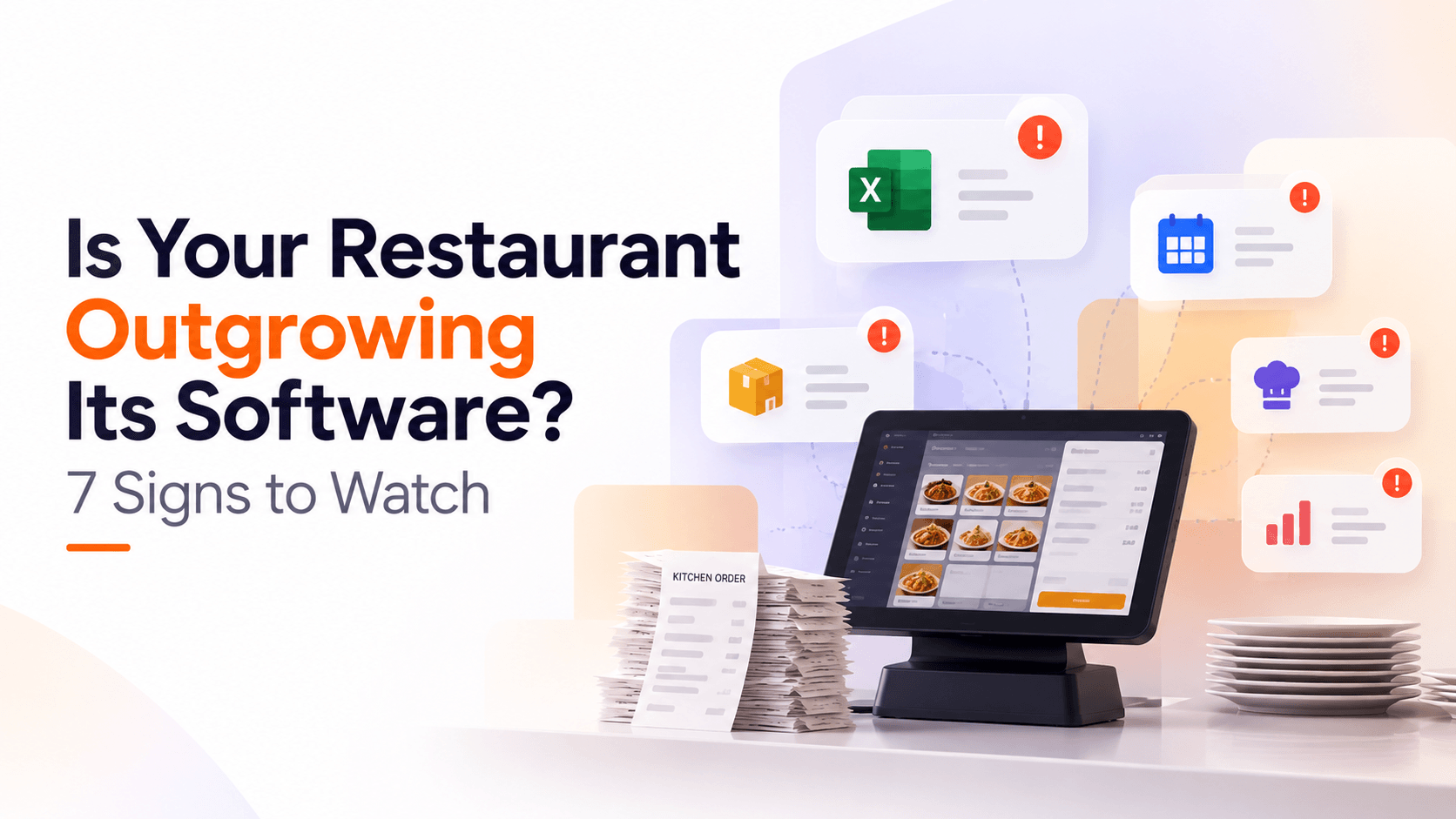
Your restaurant has outgrown its software when staff are doing work the system should be doing such as updating menu changes across multiple systems, tracking recipe costs separately. These restaurant management software problems signal that it no longer fits your operation.
Most articles on this topic come from point-of-sale (POS) system vendors, so the advice naturally comes down to one solution: replace your POS. But not every sign means you need to replace your POS. Some problems need a better POS, while others sit between systems and require a broader solution.
This guide covers seven signs that your restaurant software is no longer meeting your needs and helps you determine whether you need a better POS, stronger integrations, or a different solution.
Key Highlights
- A restaurant may have outgrown its software when staff rely on spreadsheets, duplicate data entry, manual reconciliation, or workarounds to keep daily operations running.
- A better POS is enough when the main problems are menu management, modifiers and combos, or other limitations within the point of sale itself.
- A new POS is not enough when the problem sits between inventory, labor, delivery aggregators, accounting, or multiple outlets.
- Custom restaurant software is not always necessary when your existing system can be configured, your process is still undefined, or your operation remains simple.
- The right next step is to measure the problem first, then decide whether you need a better POS, better integrations, or a more specific software solution.
Signs Your Restaurant Has Outgrown Its Software: Quick Checklist
Tick the signs that match your restaurant’s current situation. Then look at the “Can a better POS fix it?” column. If most of your ticks are yes, your current POS may be the main limitation, so switching to a better POS could be the right move.
If most are no, the issue likely goes beyond your POS and points to a wider software or systems problem.
| The sign | What the problem may indicate | Can a better POS fix it? |
| Menu changes have to be updated in several places | No centralized menu management | Yes // NO |
| Recipe costs are tracked in spreadsheets | You need recipe costing and inventory management | Yes // NO |
| Delivery platform sales are reconciled by hand | You need connected order and sales data | Yes // NO |
| Your POS cannot handle modifiers, combos, or custom orders | Flexible order configuration | Yes // NO |
| Outlet reports have to be merged manually | You need centralized multi-outlet reporting | Yes // NO |
| Labor costs are tracked separately from sales | Disconnected labor and sales data | Yes // NO |
| Your POS, inventory, labor, accounting, and other tools do not share data | Disconnected restaurant technology | Yes // NO |
7 Signs Your Restaurant Software Is Holding You Back
One problem may not mean much on its own, but several signs point out that your restaurant is outgrowing the software. If your team regularly has to work around your systems, your current setup may no longer be keeping up, and it may be time for a change.
Sign 1: Every Menu Change Has to Be Made in Four Places
Your team has to update menu information in your POS, website, delivery apps, and printed menu whenever a price or item changes. For example, if your restaurant raises the price of a chicken burger, staff need to change it in the POS, website, and several delivery apps separately.
The same applies to availability, modifiers, and combos. A new lunch combo, for instance, needs to be added manually wherever customers can order it.
This constant manual work is a clear sign that your software is no longer keeping up with your operation. It can leave customers with incorrect information and gradually affect your margins.
Sign 2: Recipe Costing Lives in a Spreadsheet
If your food costs are updated in a spreadsheet only once a month, the numbers you rely on are already outdated. An ingredient's price change or a dish becomes less profitable, but you may not notice until the next update. By then, the chance to adjust the price, portion, or recipe has already passed.
This matters because food costs make up a large share of restaurant sales. In 2024, the National Restaurant Association reported median food and non-alcoholic beverage costs of 31% of sales for limited-service restaurants and 32.0% for full-service restaurants. Even small cost changes affect your margins when they go unnoticed.
The problem is not relying on spreadsheet itself. It is the delay between what is happening in the kitchen and what management can see.
Sign 3: Your Team Spends Hours Checking Delivery Payouts
If someone on your team spends hours every week manually checking delivery payouts against orders, that is a sign your restaurant is relying on too much manual reconciliation. Each platform reports commissions, promotions, refunds, and adjustments in its own format, so your team has to work through the numbers to confirm the payout is correct.
The work becomes harder as you add more delivery platforms. Someone compares orders, payouts, and adjustments across separate systems, then investigates any differences they find.
It's difficult to track the errors, and when discrepancies are difficult to trace, they can be missed or accepted in the platform's favor simply because finding the error takes too much time.
It adds hours of manual work and makes it harder to know whether your restaurant is receiving the right amount from each platform.
Sign 4: Your POS Can't Handle Your Modifiers or Combos
If your staff starts using workarounds because the POS does not allow changes to modifiers or combos correctly, it is a sign of a larger problem.
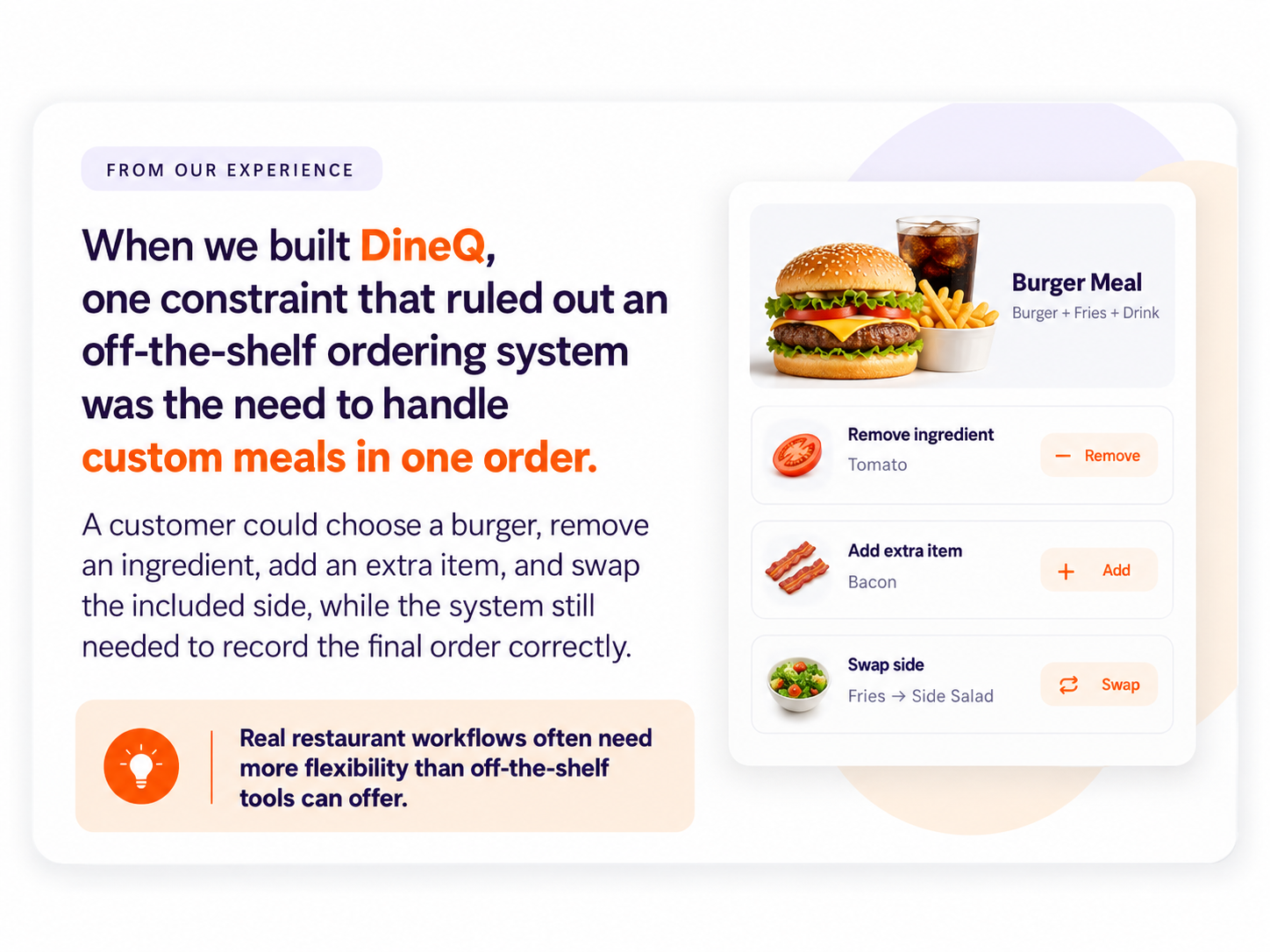
For example, a customer orders a burger meal, asks for no pickles, adds an extra patty, and replaces the fries with onion rings. Your staff try to make these changes, but the POS cannot edit them within the same combo. They ring up the meal, add the patty separately, and use a note to record the side change.
These workarounds affect stock deductions and sales data because the system does not capture what the customer actually received. Like, the POS recorded fries while a note tells the kitchen to serve onion rings instead. The kitchen sends the onion rings, but the system still records the sale and stock usage as fries.
If staff regularly have to find their own way around the POS just to enter certain orders, that is a clear sign the system is not keeping up with how your restaurant actually sells.
Sign 5: Multi-Outlet Reporting Means Exporting and Merging
If every outlet exports its numbers separately and someone combines the files, your consolidated report is already behind the operation. Managers may be making decisions using figures that are days old because the data had to be collected, checked and merged first.
That becomes harder as the restaurant grows. More outlets mean more files, more versions, and more opportunities for differences in naming, timing or reporting rules.
A multi-outlet restaurant system setup should give management a consolidated view while preserving outlet-level detail. If your current POS already supports this, a configuration change may be enough.
If the data sits across separate systems that were never designed to share one reporting model, the problem is an integration and architecture issue.
Sign 6: You Cannot Track Labor Costs in Real Time
If staff schedules are managed in a spreadsheet or group chat while sales are tracked in the POS, managers have to rely on separate systems to understand labor performance. They may know who is scheduled and who has clocked in, but they cannot easily compare staffing levels with sales as the shift progresses.
This makes it harder to manage labor costs when there is still time to act. Managers could reduce staffing during a slow period or add cover when demand increases, but a report that shows the labor cost after the shift cannot support those decisions.
When scheduling, time tracking, and sales data remain disconnected, your restaurant system is no longer providing the real-time visibility managers need to make effective staffing decisions.
Sign 7: You're Paying for Tools That Don't Talk to Each Other
POS, stock management, Rota software, accounting, loyalty, and delivery aggregator dashboards are often added one at a time as new needs arise. Each tool may solve its own problem, but if they do not connect, your team has to fill the gaps manually.
That creates two costs. The first is the subscriptions you pay for each system. The second is the staff time spent exporting, checking, copying, and reconciling data between them. Neither cost is always obvious because they appear in different places: one on software invoices and the other in hours spent on administrative work.
If your team spends more time making your systems work together than using them, your restaurant may have outgrown its current tech stack.
When a New POS Fixes It and When It Doesn't
These seven signs fall into two groups: problems a better POS can fix, and problems that sit between systems. Knowing which group your restaurant falls into helps you decide whether to replace the POS, improve your integrations, or consider a different software solution.
Problems a Better POS Will Solve
If most of your ticks fall here, replacing the POS is the right move. A better off-the-shelf product or custom restaurant management software solves these limitations.
- Simple order changes: If staff needs workaround like writing notes or separate entries for changes in combos, then a flexible POS can those changes directly.
- Menu updates in several places: Repeated manual updates across the POS, website, and delivery platforms can be eliminated with centralized menu management.
- Unreliable service during internet issues: When the internet connection drops during service, offline POS functionality can keep core ordering available.
- Limited sales reporting: If the existing POS lacks the reports needed for everyday decisions, a platform with stronger built-in reporting can provide them without a custom build.
Still deciding between buying and building? Read our guide custom development vs. SaaS to compare the build vs buy and choose the right approach for your restaurant.
Problems No POS Will Solve
Some problems are not caused by the POS itself. They come from gaps between the systems you use for costing, delivery, labor, and reporting. Another option still cannot fix workflows that depend on several systems sharing data.
- Recipe costing across outlets: Keeping ingredients and recipes cost current across multiple locations requires data from several systems.
- Aggregator reconciliation: Delivery platforms have different formats for payouts, commissions, refunds, and adjustments, making reconciliation a broader integration problem.
- Labor costs versus live sales: Scheduling, time tracking, payroll, and sales data sit in separate systems, making it difficult to manage labor costs during a shift.
- Consolidated multi-outlet reporting: When each outlet or system holds separate data, creating a consolidated view can still require manual exports and merging.
These problems live in the feature gaps between systems, and a POS is only one part of that setup. Buying a better till will not automatically connect your POS to your accounting, labor, inventory, or delivery systems. Depending on the workflow, the solution may be better integration, an API connection, or opt for a custom software development.
From our delivery work
We have seen restaurant operators replace their POS expecting it to solve a reporting or reconciliation problem, only to find that the issue remained because it sat between their workflows rather than inside the POS itself.
Check out our detailed guide When a Standard POS Can't Run Your Operation to learn when a standard POS is no longer enough, and a custom solution may make more sense.
What Custom Restaurant Software Actually Costs
The cost of custom restaurant software typically depends on the features, customizations, integrations, and workflows you need.
Before deciding on custom software, compare it with what your current setup costs. Include subscriptions, add-ons, integrations, and the time spent by staff reconciling orders, updating menus, checking reports, or maintaining spreadsheets.
Compare it with the cost of a custom build over the years you expect to use it, including support and maintenance. This gives you a clearer picture of what your current setup is really costing.
When we built software for our clients, we saw how quickly the hidden cost of disconnected systems added up. The bigger expense was often not another subscription, but the staff's time spent moving data, reconciling information, and working around gaps between systems.
You also do not need to replace every system. Start with the workflow costing your team the most time. If your POS already handles ordering and payments well, keep it and build around it. This limits the custom build to the problem you actually need to solve, rather than paying to replace tools that already work.
When Your Restaurant Doesn't Need Custom Software
Before starting to build custom software for your restaurant, it's better to know that most restaurants do not need it. Not every restaurant software limitation justifies custom development, especially when your current system can still support your core workflows.
If your operation is still simple, your current tools are underused, or your processes are not yet defined, improving what you already have is usually the better starting point.
- Single site, standard menu: If you run one outlet with a stable menu and limited delivery complexity, an off-the-shelf system may cover what you need.
- You have not used what you already pay for: Check which features or modules are available before adding another tool. Your current software may already solve part of the problem.
- Your process is still undefined: If different outlets or managers handle the same task differently, building software too early can simply turn inconsistent processes into fixed workflows.
- Peak season is weeks away: Custom software takes time to plan, build, test, and roll out. If your busiest period is approaching, improve the current setup first rather than starting a major build under a deadline.
If you are still unsure, check out our guide Do You Actually Need Custom Software? A Readiness Test to assess whether your operation is ready for a custom solution.
What to Do Before You Replace Your Restaurant Software
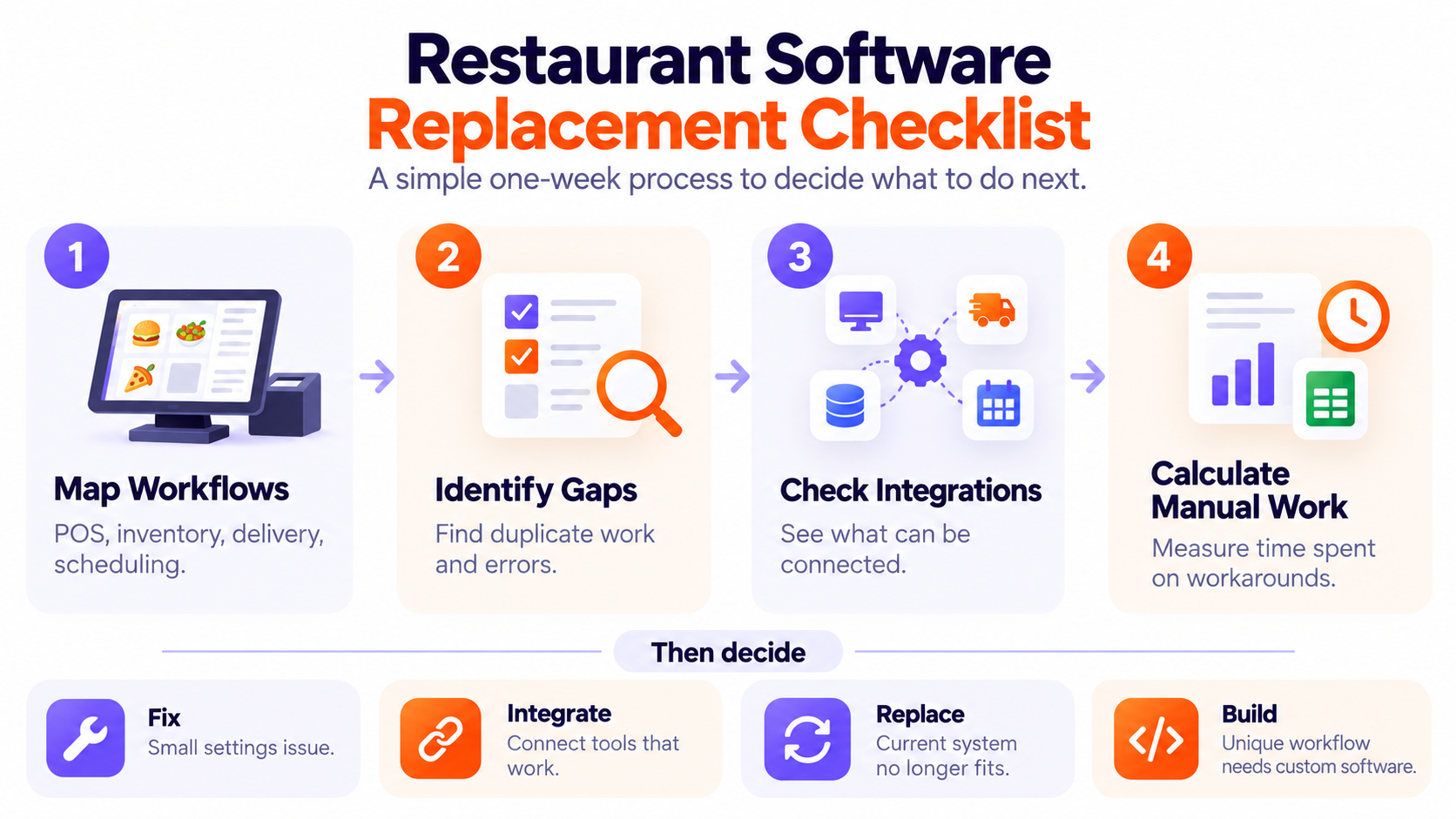
Before you decide when to replace restaurant software, spend one week measuring where the current setup creates work. You do not need a new system to find out whether the problem is actually costing your restaurant time or money.
- Calculate the time: Track how much time your team spends on manual workarounds for one week, such as updating menus, reconciling aggregator payouts, merging reports, or maintaining spreadsheets.
- List every subscription: Include your POS, inventory, scheduling, accounting, delivery, loyalty, and other tools, along with any paid integrations or add-ons.
- Ask your POS vendor one fit question: Describe the exact workflow you need and ask whether the system supports it. If the answer is “not on the roadmap,” you have a feature gap. If they say, “the system does not work that way,” you may have a structural limitation.
- Pick the most expensive gap. Do not try to fix the entire restaurant tech stack at once. Start with the workflow that consumes the most staff time, creates the most errors, or has the biggest effect on operations.
This process takes about a week and costs nothing. Even if you decide to keep your current setup, you will know exactly what is working, what is not, and where the next improvement should come from.
Deciding Whether Custom Restaurant Software Is Worth It
Custom restaurant software is worth considering when your operational problems are frequent, expensive, and difficult to solve with the tools you already have. The seven signs above can help you see whether your current setup is creating enough friction to justify a change.
If most ticks fall under POS-fixable problems, a better POS is likely the right choice. If they are spread across costing, reconciliation, labor, reporting, and other system gaps, replacing the POS will not solve the underlying problem.
If the answer is not yet, watch for changes that increase the pressure on your current setup. A second outlet, a third delivery app, or a central kitchen multiplies reconciliation work rather than simply add to it. As these workflows grow, manual tasks become harder to manage and more expensive to maintain.
You do not need to replace everything at once. Start with the workflow costing your team the most time or creating the most errors, then test whether configuration or off-the-shelf software can solve it.
If not, custom restaurant management software may be worth considering. The cost of waiting is often paid in staff hours that never appear on an invoice, so they rarely get reviewed.
FAQs
What is the difference between off-the-shelf and custom restaurant software?
Off-the-shelf software handles common restaurant workflows while custom software is built around your specific processes when standard tools cannot fit them well.
How much does custom restaurant management software cost?
It depends on the scope, integrations, and support required. Compare the build with your current annual software costs, including subscriptions and staff time spent on manual workarounds.
Can custom software work with the POS we already have?
Yes, if your POS supports the required integrations or API access, custom software can work alongside it instead of replacing it.
How long does it take to build custom restaurant software?
It depends on the scope. A focused system for one workflow takes less time than replacing several systems with one platform.
Is custom software worth it for a single-location restaurant?
An off-the-shelf software is usually enough, if your menu and processes are standard. Custom software is suitable for single location restaurant if you have critical workflow is unique, costly, and difficult to support with your existing software.
What happens to our data if we replace our restaurant software?
Your data can usually be exported, cleaned, mapped, and migrated to the new system. The migration plan should also cover which historical data needs to remain accessible.

Related insights
-in-Business_1763716856557-585605410_2025-11-21.png&w=3840&q=75)
The Rise of Virtual and Augmented Reality (VR/AR) in Business
21 Nov 2025

Choosing the Right E-Commerce Platform for Your Nepal-Based Business
21 Nov 2025

The Evolution of Software Development: A Journey Through Time
19 Dec 2025
Have a project in mind? Let's build something great.
Share your ideas or questions and our experts will get back to you shortly.
Unlock Expert Guidance
Need expert IT advice? Our seasoned professionals are here to help you navigate your tech challenges. Schedule a session with us and get personalized solutions tailored to your business needs.

Connect with Us and Let's Build Something Together
We'd love to hear from you! Whether you have questions, need support, or want to discuss a new project, our team is ready to assist. Fill out the form below, and we’ll get back to you as soon as possible.
Prefer a Direct Consultation?
Connect with our team for a 1-on-1 virtual session to discuss your project, understand your needs, and explore the right solution for your business.
What's Next?
- 1Connect with you at a convenient time
- 2Explore your needs, goals, and requirements
- 3Prepare a tailored proposal based on your needs
Why Choose Us
Connect with AITC
Select your inquiry type to route your request to the right department.
Our Office Locations
Operating across 3 key timezone hubs to serve global enterprise clients.