







AI
Software
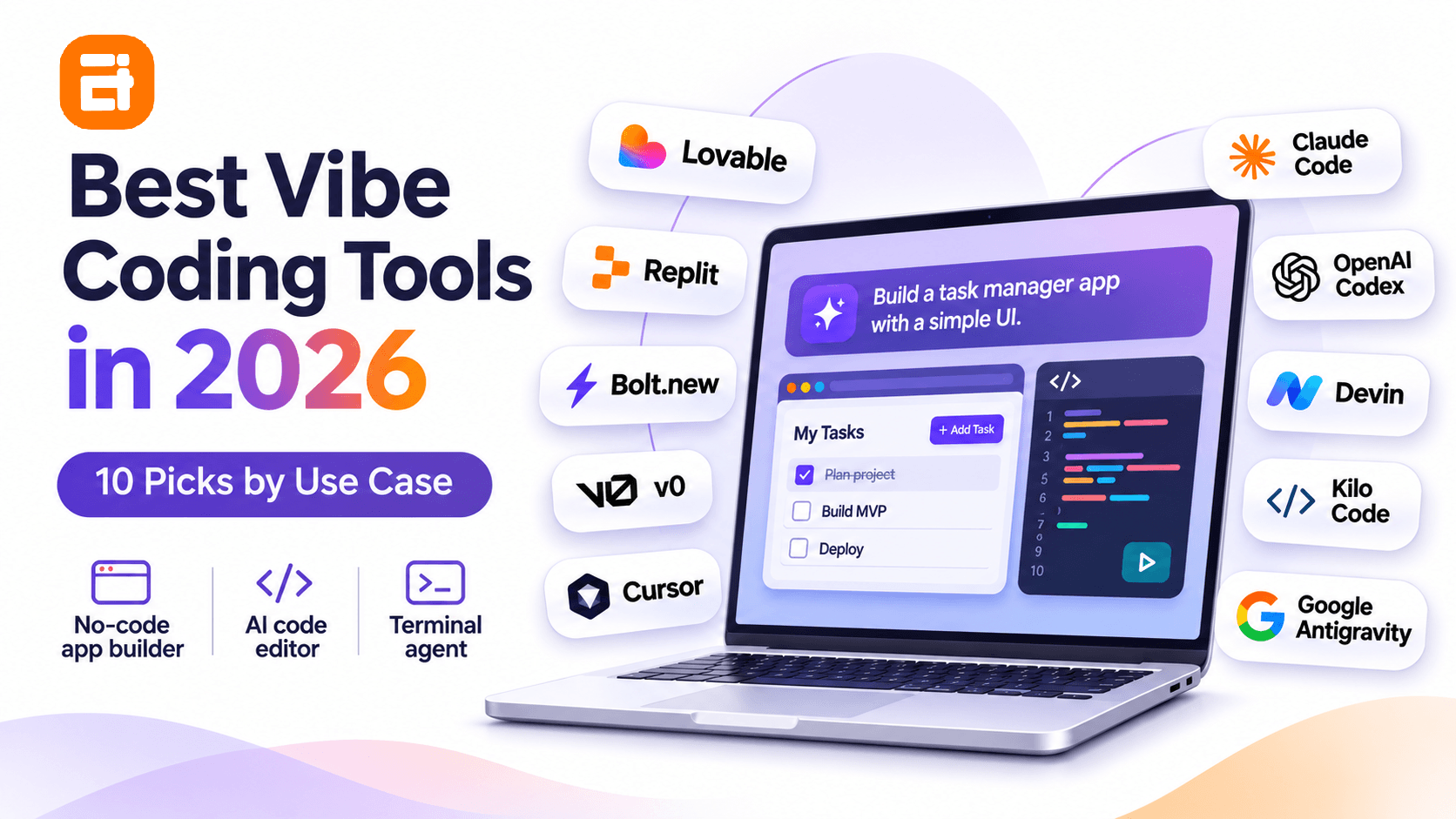
Best Vibe Coding Tools in 2026: 10 Picks by Use Case

sachin pokharel
05 Nov 2026
The best vibe coding tool depends on how you build software. If you do not code, Lovable is a practical starting point for a web app. Replit combines building and hosting, while Bolt.new is useful for browser-based prototypes. For developers, Cursor brings AI into an editor, Claude Code fits terminal-first work, and OpenAI Codex suits delegated coding tasks.
A good first demo is not the same as maintainable software. Before choosing a platform, check what you can export, whether it handles your real data and permissions, and how much repeated changes cost.
In this blog, we compare ten tools, identify their free and paid options, and use a five-check decision framework to help you choose without confusing prototype speed with production readiness.
Editorial disclosure: AITC International provides custom software development services, which is relevant to our discussion of production readiness. This is an editorial desk-research comparison, based on official product documentation and independently published research; it is not a controlled hands-on benchmark. Rankings below are use-case judgments, not measured performance scores.
Key Highlights
- Start with the workflow. App builders suit first prototypes; editors and coding agents offer more control over existing repositories.
- Lovable and Replit are beginner-friendly, but neither removes the need to verify database permissions, costs, and deployment assumptions.
- Cursor, Claude Code, and Codex target different developer habits: editor, terminal, and delegated tasks respectively.
- Free access is not free production operation. Hosting, premium models, inference, and usage overages can change the total cost.
- Code export is only the first portability check. Authentication, databases, infrastructure, and third-party integrations can remain platform-dependent.
Best Vibe Coding Tools at a Glance
This table compares each product's main use case and published US pricing entry point. Prices reflect a November 5, 2026 review; subscription charges can exclude taxes, extra AI usage, and hosting.
| Tool | Best for | Free access | Paid entry point |
| Lovable | First web app without coding | 5 daily build credits, up to 30/month | Pro from $25/month |
| Replit | Build, run, and host together | Starter; daily Agent allowance, capped | Core $20/month |
| Bolt.new | Browser-based JavaScript prototypes | 1M tokens/month; 300K daily cap | Pro $25/month |
| v0 | React and web-interface generation | 7 messages/day | Plus $30/user/month |
| Cursor | Daily coding inside an AI editor | Limited agent and chat requests | Plus $8/month; Premium $30/month |
| Claude Code | Terminal-led repo work | No free Claude Code subscription | Claude Pro $20/month |
| OpenAI Codex | Delegated coding and code review | Limited access with ChatGPT Free | Higher quotas on paid ChatGPT plans |
| Devin Desktop | Agent coordination inside an IDE | Light quota | Pro $20/month |
| Kilo Code | Open-source tools and model choice | Extension free; inference billed separately | Teams $15/user/month |
| Google Antigravity | Agent-first workflows | Free individual tier, weekly limits | Higher limits with Google AI Pro/Ultra |
Pricing warning: Dollar figures are starting subscriptions, not comparable allowances. A low-priced plan with metered AI calls may cost more during a long debugging session than a higher plan with greater included usage.
What Is a Vibe Coding Tool?
A vibe coding tool accepts natural-language instructions and uses AI to generate or modify software. Depending on the product, it can also run code, inspect files, execute tests, set up integrations, and help deploy an application.
Andrej Karpathy coined the term in February 2025. In his original description, he described accepting generated changes without reading every code diff. Simon Willison's account of the original statement preserves that distinction.
Today, vendors and users often apply vibe coding more broadly to AI-assisted development. The difference matters: using AI while carefully reviewing code is not the same as accepting its output without inspecting the implementation.
The tools below cover three overlapping workflows: app builders that start from a prompt, editors that help you write and modify code, and agents that take on repository tasks. Some products combine all three.
How We Chose These Ten Tools
Our shortlist covers distinct workflows instead of claiming that every product competed in a single scientific ranking. We reviewed the official pricing pages, published product documentation, access models, and prominent independent comparisons.
We evaluated each product against five practical questions: who can use it, what part of an application it builds, how the code moves elsewhere, how ongoing usage is billed, and whether developers can inspect and maintain the result.
What we did not do: We did not build an identical application with all ten tools, measure defects, or calculate repeatable task-completion times. Words such as “best” therefore mean best fit for a stated use case, not a verified overall performance winner.
The five-check framework later in this article turns those editorial criteria into a test you can run on your own project.
Best Vibe Coding Tools for Non-Coders and Prototypes
If your goal is to build an initial application without a local development setup, compare Lovable, Replit, and Bolt.new first. Choose v0 when interface exploration is the main job.
1. Lovable — Best for a First Web App Without Coding
Lovable is well suited to non-technical founders who want to describe a web application and refine a working version conversationally. It can produce interfaces and connect application features such as data storage and authentication.
The advantage is speed from idea to something users can try. For a scheduling portal, for example, you can describe the booking flow, inspect the result, and ask the system to revise how users create or cancel appointments.
Where it fits: First web apps, internal dashboards, customer portals, and early SaaS prototypes.
Watch for: Credit consumption on repeated builds; rules for data access; and dependencies on hosted services after exporting code. An exported frontend alone may not reproduce every backend service.
Pricing: Free includes 5 daily build credits, up to 30 each month. Pro starts at $25/month with 100 monthly credits; Business starts at $50/month. Lovable's billing combines credits for building and running applications, so check project usage rather than just messages. See Lovable's official pricing.
Choose it when you need a web-app proof of concept and want to test the workflow before writing much code.
2. Replit — Best for Building and Hosting in One Place
Replit combines an AI coding environment with execution, data services, and deployment in one browser-based workspace. It makes sense when a live, shareable result matters as much as generating the code.
Users can start through prompts, then inspect files and use a conventional editor as their technical confidence grows. That crossover is valuable for an educational project or an internal tool that may eventually need developer maintenance.
Where it fits: Hosted prototypes, small internal tools, learning projects, and applications that need a fast live preview.
Watch for: Agent mistakes, usage-based billing, and Starter-plan restrictions. Replit Starter supports limited daily Agent credits and one free published app whose public link expires after 30 days; advanced building and some integrations require Core or above.
Pricing: Starter is free. Core starts at $20/month and Pro at $100/month on monthly billing, with consumption and included credits varying by plan. Review Replit pricing and the Starter plan limitations.
Choose it when your primary need is to build, run, and publish without coordinating multiple services from day one.
3. Bolt.new — Best for Fast Browser-Based Prototypes
Bolt.new is a practical option for rapidly building and iterating on JavaScript-based applications in the browser. Its integrated development environment shortens the gap between a prompt, generated files, and an immediately visible result.
It works well for testing product flows or producing a clickable demonstration before a team commits to implementation details.
Where it fits: Browser prototypes, lightweight web apps, marketing experiences, and quick JavaScript experiments.
Watch for: Token usage during repeated corrections and framework constraints. A project requiring a separate Python or Go backend will need another environment or architecture.
Pricing: Free includes 1 million tokens per month with a 300,000-token daily limit. Pro starts at $25/month for 10 million tokens, with no daily cap. See Bolt's official pricing.
Choose it when fast iteration matters and your proposed application fits a supported web stack.
4. v0 — Best for React UI and Web-App Screens
v0 is most compelling for generating and refining web interfaces in a React-oriented workflow. Vercel's tool can create components and application experiences, with visual editing, GitHub synchronization, and Vercel deployment.
For example, a product team can use it to explore several dashboard layouts before integrating the selected design with real data and business rules.
Where it fits: SaaS interfaces, forms, landing pages, dashboards, and web frontend exploration.
Watch for: Assuming a convincing screen proves that the underlying business rules, authorization, and integration behavior are complete. Production functionality requires the same checks as hand-written code.
Pricing: Free includes seven messages a day and the current public pricing page lists $5 in included monthly credits. Plus starts at $30/user/month. Verify offers through v0's current pricing page.
Choose it when the most urgent unknown is what the user interface should look and feel like.
Best Vibe Coding Tools for Developers
If you already maintain a repository, an AI editor or coding agent is usually a better starting point than regenerating the application from scratch. The following tools differ mainly in how work is assigned, reviewed, and executed.
5. Cursor — Best for AI Inside Your Everyday Editor
Cursor fits developers who want repository-aware AI assistance without abandoning an editor-driven workflow. It supports code inspection, multi-file changes, and agent-based implementation.
This is useful when adding a feature to an established React application, tracing an unfamiliar component, or refactoring code that has existing tests and dependencies.
Where it fits: Daily coding, debugging, feature work, and refactoring existing applications.
Watch for: Plan and model differences. Cursor's newer Plus tier at $8/month supports Grok models only; third-party models such as Claude and GPT are available on eligible Premium-and-higher plans at separate API-list pricing. Some older published reviews still describe legacy Cursor plans.
Pricing: Free offers limited usage. Plus is $8/month; Premium is $30/month; higher tiers increase included usage. Consult Cursor's model and plan documentation.
Choose it when you want AI beside your code throughout the day and can review each proposed change.
6. Claude Code — Best for Terminal-First Repository Work
Claude Code suits developers who prefer to give an agent a task in the terminal and inspect its work in an existing repository. Anthropic's coding agent can read files, edit code, run commands, and assist with planning and debugging.
A typical request might be to trace a failed test through several modules, propose a fix, implement it, and run the test suite again.
Where it fits: Refactoring, codebase onboarding, debugging, tests, and multi-file development tasks.
Watch for: Command execution and high usage on long sessions. The agent may change more files than intended unless the task, permissions, and review process are clearly bounded.
Pricing: Claude Code is included with Claude Pro at $20/month, or an annual subscription equivalent of about $17/month. Max starts at $100/month. Claude Free does not include subscription-based Claude Code access. See Anthropic's current plan details.
Choose it when a terminal-based, repository-aware agent fits how you already develop software.
7. OpenAI Codex — Best for Delegating Defined Coding Tasks
Codex is a strong option when you want an AI coding agent to investigate, implement, or review a defined repository task. Supported experiences include the command line, IDE integrations, and eligible cloud workflows.
The clearest tasks have acceptance criteria: add a test, fix a reproducible issue, or implement a feature behind a documented interface. Review the diff and test outcomes before merging.
Where it fits: Delegated fixes, test creation, code review, scoped implementation, and repository maintenance.
Watch for: Confusing general access with cloud execution. Codex has limited availability on ChatGPT Free and Go, but Codex Cloud requires an eligible paid account. Usage limits also depend on the plan and interface.
Pricing: Limited Codex access is included in ChatGPT Free; paid plans provide different allowances and capabilities. See the official Codex plan guide.
Choose it when you can specify a coding outcome and then review an agent's implementation against tests.
8. Devin Desktop — Best for Coordinating Multiple Coding Agents
Devin Desktop is the successor to the Windsurf editor, with a fuller environment for managing agent work. It retains the IDE foundation while adding agent coordination and visibility into parallel tasks.
Devin Desktop and Devin Cloud are related but not identical: the former provides the desktop development and management interface, while cloud-agent access depends on the subscription.
Where it fits: Multi-agent experimentation, repository maintenance, and teams coordinating several engineering tasks.
Watch for: Conflicts between parallel changes, the effort of reviewing multiple agents, and differing free-versus-paid model access.
Pricing: Desktop access includes a Free tier with light usage. Pro is $20/month and includes Devin Cloud access; Max is $200/month. See Devin's official pricing.
Choose it when managing multiple agent workstreams is a real bottleneck, rather than an appealing extra feature.
9. Kilo Code — Best for Open-Source Tooling and Model Choice
Kilo Code suits developers who want a configurable, open-source coding interface rather than a single bundled model. It offers extensions and command-line tooling with choices for AI providers and inference setups.
This flexibility can help a developer compare models for different jobs, though it also introduces decisions about setup, credentials, and usage monitoring.
Where it fits: Teams that use multiple AI providers, developers testing local or hosted models, and configurable coding workflows.
Watch for: Configuration work and separate model charges. “Free extension” does not mean every inference call or connected service is free.
Pricing: Individual tools are free and open source, while usage is billed separately. Teams starts at $15/user/month. See Kilo Code pricing.
Choose it when control over model choice and billing matters more than a fully managed default experience.
10. Google Antigravity — Best for Agent-First Development
Google Antigravity is worth evaluating when you want an agent-centered development environment with tools for code changes and application testing. Its model and quota arrangements vary across free and paid Google AI tiers.
This approach can help developers break a project into separate implementation and verification tasks. It also creates a new challenge: ensuring all agents share the same requirements and do not create conflicting changes.
Where it fits: Agent-first workflows, parallel coding experiments, and developers evaluating Google's AI development ecosystem.
Watch for: Weekly allowances, changing model access, and the additional review needed for agent-executed commands.
Pricing: Individual access starts free with weekly rate limits. Google AI Pro and Ultra increase quotas under their respective conditions. See Google's official Antigravity plans.
Choose it when the workflow around directing and reviewing agents is more important than a familiar editor layout.
Which Vibe Coding Tool Should You Choose?
Choose by the work you need completed next. A first app, a frontend demonstration, and a large existing repository call for different starting points.
| Your immediate job | Try first | Why |
| Non-coder validating a web-app idea | Lovable | Lowest-friction prompt-to-app workflow |
| Build and share a live prototype | Replit | Editor, execution, and hosting together |
| Quick browser app experiment | Bolt.new | Short prompt-to-preview loop |
| Explore React UI patterns | v0 | Interface-focused iteration |
| Maintain an existing codebase | Cursor | Works alongside code in an editor |
| Investigate multi-file issues in the terminal | Claude Code | Repository analysis and command-driven work |
| Hand off a defined coding task | Codex | Agent workflow with reviewable changes |
| Coordinate several coding agents | Devin Desktop / Antigravity | Agent management and parallel workflows |
| Choose your model provider | Kilo Code | Configurable open-source tooling |
These are editorial starting points rather than exclusive recommendations. A team may prototype a screen in v0, maintain the code in Cursor, and delegate test coverage through Codex.
The Five-Check Test Before Paying for a Vibe Coding Tool
Evaluate a representative task, not a visually impressive demo. Use one small workflow with real data, one permission rule, and one change request to see whether the tool fits.
Check 1: Can You Take the Code and Data Elsewhere?
Verify Git sync or download, then try building the exported project outside the service. Ask how you will migrate database records, user accounts, environment variables, file storage, and background jobs.
Passing result: Your team knows exactly what can move and what would need replacing.
Check 2: Does It Handle a Real Business Rule?
Test something more demanding than a static screen. For a customer portal, create two accounts and confirm one cannot read or change the other's records.
Passing result: The rule works in the backend, not just in the interface.
Check 3: What Does a Completed Feature Actually Cost?
Measure an initial build, two requested revisions, and at least one debugging cycle. Include inference charges, seat fees, hosted services, and storage or deployment costs.
Passing result: You can estimate the cost of your next ten changes without assuming the first prompt's price is typical.
Check 4: Can You Recover From a Failed Change?
Inspect the diff, restore an earlier version, run a test, and check the error logs. An AI system that keeps retrying without diagnosing failures can waste both time and credits.
Passing result: A developer can locate and correct a regression without rebuilding the application.
Check 5: Who Will Own the Product in Six Months?
Assign responsibility for upgrades, monitoring, backups, access changes, vendor bills, and incident response. If no one can maintain the application, a hosted prototype is safer than a business-critical launch.
Passing result: A named person or team can operate the software after the original builder stops using the AI tool.
A tool that passes the first three checks but fails recovery and ownership may still be perfect for prototyping. It is not yet a reliable choice for a product that customers depend on.
Best Free Vibe Coding Tools in 2026
A free tier is best used to validate the workflow and estimate paid usage, not to assume an application can run indefinitely without cost.
For a first web-app idea, Lovable's free daily credits or Replit Starter give a way to experiment. Replit's free publishing link ends after 30 days, which matters for a demonstration you intend to keep public.
Bolt.new and v0 are alternatives for browser experiments and UI work. Developers can try limited Cursor or Codex access, while Devin Desktop and Antigravity offer agent-focused free options. Kilo Code's extension is free, but provider usage can still incur charges.
Claude Code is not included in Claude's Free subscription, although its paid access may be suitable for developers who already use Claude Pro.
Check the vendor's current usage page before committing to a long build, because quotas, available models, and paid-plan boundaries change frequently.
Can Vibe-Coded Apps Be Used in Production?
Yes—but working code must still pass the same engineering checks as software written without AI. Neither a generated login screen nor a successful preview proves that the data model, authorization rules, or deployment environment is safe.
The 2026 Stack Overflow Developer Survey found that 48.0% of respondents to its AI-trust question trusted AI output when they could easily verify it, while only 6.6% trusted it for many tasks including important work decisions. That is a report about respondent confidence, not a benchmark of any product's reliability.
Software projects also depend on context. In a separate question in the same survey's knowledge results, 85.2% of respondents selected project goals or requirements among their five most important types of context. Clear requirements matter just as much when an agent writes the code.
Before a customer-facing release, check the following areas:
| Production check | Practical test | What can go wrong |
| Authentication and authorization | Try cross-account access and restricted actions | A user can view another user's records |
| Database and migrations | Validate access rules and rollback procedures | Data becomes exposed or a schema change loses records |
| Secrets and integrations | Audit API keys, permissions, and quotas | A credential leaks through frontend code |
| Tests and error handling | Exercise critical flows and edge cases | Duplicate payments, broken bookings, or failed jobs |
| Operations | Verify monitoring, backups, deployment rollback, and ownership | An outage persists because nobody can recover the service |
The scope of review should match the risk. A disposable internal demonstration needs less process than a payment system, but an application handling sensitive customer data requires deliberate controls.
If your idea is still unproven, starting with a focused MVP development approach can reduce unnecessary scope before adding production complexity.
When a Vibe Coding Tool Is Not the Right Answer
Do not build a custom app merely because an AI tool makes the first version easy. If a well-supported SaaS product already handles your requirements, buying or configuring it may be faster and easier to maintain.
For example, a small team that only needs appointment scheduling may be better served by an established booking service than a custom scheduling application. Building becomes more defensible when unusual pricing rules, integrations, or business workflows are central to the product.
The same logic applies inside an organization. A dashboard problem may be solved by cleaning existing data and improving reporting before any new application is required.
If your team is deciding between existing software and a new system, use AITC's custom software readiness guide to assess the underlying business case first.
Final Verdict
The right vibe coding tool is the one that supports your next step without hiding the cost of the step after that. Lovable, Replit, Bolt.new, and v0 are accessible options for generating early applications or interfaces. Cursor, Claude Code, Codex, Devin Desktop, Kilo Code, and Google Antigravity provide different forms of developer and agent control.
Start with a small workflow you can verify. Test export, billing, permissions, recovery, and maintenance before committing your customer data or core operations to the result.
For teams moving from an AI-built prototype to a maintained product, discuss your MVP requirements with AITC International. The first decision should be what genuinely needs building—not which AI tool can generate the most screens.
Frequently Asked Questions
What are the best vibe coding tools in 2026?
Lovable and Replit suit beginners, Cursor and Claude Code suit developers, v0 is useful for interfaces, and Codex helps delegate repository tasks.
Which vibe coding tool is easiest for non-coders?
Lovable is a practical first choice for web apps, while Replit is attractive if building and hosting should happen in the same environment.
Are vibe coding tools free?
Many offer free plans with limits, but hosting, premium models, usage overages, and long-term deployment may cost extra.
Is Claude Code free?
Claude Code is not part of Claude's Free subscription; it is included with eligible paid subscriptions such as Claude Pro.
Can Codex Cloud be used with ChatGPT Free?
No; general Codex access is available on Free, but Codex Cloud requires an eligible paid ChatGPT plan.
Can I export code from these tools?
Several tools support Git synchronization or code export, but transferring databases, authentication, hosting, and integrations may require separate work.
Can a non-developer launch a vibe-coded app?
Yes, especially a simple prototype, but customer-facing software involving important data or transactions should be independently reviewed before launch.
Is vibe coding better than traditional development?
Vibe coding can accelerate prototyping, but conventional engineering review, testing, version control, and operations remain important for maintained software.

Related insights

The Rise of Virtual and Augmented Reality (VR/AR) in Business
21 Nov 2025

Choosing the Right E-Commerce Platform for Your Nepal-Based Business
21 Nov 2025

The Evolution of Software Development: A Journey Through Time
19 Dec 2025
Have a project in mind? Let's build something great.
Share your ideas or questions and our experts will get back to you shortly.
Unlock Expert Guidance
Need expert IT advice? Our seasoned professionals are here to help you navigate your tech challenges. Schedule a session with us and get personalized solutions tailored to your business needs.

Connect with Us and Let's Build Something Together
We'd love to hear from you! Whether you have questions, need support, or want to discuss a new project, our team is ready to assist. Fill out the form below, and we’ll get back to you as soon as possible.
Prefer a Direct Consultation?
Connect with our team for a 1-on-1 virtual session to discuss your project, understand your needs, and explore the right solution for your business.
What's Next?
- 1Connect with you at a convenient time
- 2Explore your needs, goals, and requirements
- 3Prepare a tailored proposal based on your needs
Why Choose Us
Connect with AITC
Select your inquiry type to route your request to the right department.
Our Office Locations
Operating across 3 key timezone hubs to serve global enterprise clients.