







Software
Custom
How to Develop Custom Business Software?


sachin pokharel
25 Feb 2026
Custom software development is the process of creating applications tailored to a business’s unique workflows, security needs, and growth goals. Unlike generic off-the-shelf tools, custom software adapts to your operations, enabling greater efficiency, seamless integration, stronger security, and a lasting competitive advantage.
As businesses grow and processes become more complex, standard software can slow you down. This AITC International guide will show you everything you need to know about custom software development—from its benefits and development process to choosing the right partner and building secure, scalable, future-ready business applications.
What is Custom Software Development?
Custom software development is the process of creating software applications specifically designed to meet the unique needs of a business, organization, or user group. Unlike off-the-shelf software or generic SaaS platforms, custom software aligns with a company’s specific workflows, integrates seamlessly with existing systems, and scales to support organizational growth.
By tailoring solutions to exact requirements, custom software improves operational efficiency, automates workflows, and enables data-driven decision-making. It also provides a competitive advantage by delivering solutions optimized for a company’s objectives. In essence, custom software acts as a strategic business asset, transforming processes into technology-driven solutions that support long-term adaptability and deliver measurable ROI.
Understanding Custom Software Examples
Popular off-the-shelf software solutions, such as Microsoft Office and Adobe Photoshop, are designed for a broad audience and offer standard features that serve multiple industries, user groups, and business scenarios. These solutions provide robust functionalities but lack the flexibility to adapt to unique business workflows, operational processes, or specific organizational requirements. The software providers generally restrict modification or extension of core capabilities, which limits the ability of off-the-shelf software to address bespoke business challenges.
In contrast, software development services focus on designing and building applications tailored to a company’s specific needs. This development process involves strategic planning, requirements analysis, and close collaboration with a development team or in-house developers. The resulting custom software solution optimizes business operations, improves workflow efficiency, enables integration with existing IT systems, and supports scalable growth. By providing flexible and purpose-built functionalities, custom software acts as a strategic business asset, empowers organizations to achieve operational excellence, and helps maintain a competitive advantage.
Further Reading: History of software development

Why Do Businesses Need Custom Software Solutions?
Businesses need custom software solutions because they provide tailored, scalable, and secure applications designed to meet unique operational needs. Unlike generic software, custom solutions streamline business processes, improve efficiency, and evolve alongside organizational growth.
Improve Business Productivity
Custom software aligns digital tools with specific business workflows, automates repetitive tasks, and reduces manual effort. It integrates seamlessly with existing IT systems, enabling real-time data sharing, centralized control, and faster decision-making. These capabilities minimize errors, eliminate operational bottlenecks, and enhance overall business productivity.
Scalable and Flexible as Businesses Grow
Custom software solutions are scalable and flexible, supporting expanding operations, growing user bases, and evolving feature requirements. They can be modified to accommodate new workflows, integrate with additional platforms, and handle higher workloads. This flexibility ensures business continuity, reduces system downtime, and prevents costly software migrations.
Easy integration with Business tools
Custom applications integrate with existing business systems, including CRM platforms, accounting software, inventory management tools, and customer portals. This integration eliminates manual data entry, reduces errors, and ensures accurate, real-time information across all systems. Seamless integration empowers teams to operate efficiently, make informed decisions, and optimize resource allocation.
Protects your sensitive data
Businesses handling sensitive data benefit from custom software’s enhanced security features, such as data encryption, multi-factor authentication, secure APIs, and compliance with regulations like GDPR or HIPAA. Full control over software architecture reduces the risk of breaches, safeguards customer information, and strengthens brand trust.
Long-Term Cost Efficiency
Custom software is optimized for specific business processes, reducing dependency on multiple licenses, third-party tools, or unnecessary features. This approach lowers subscription costs, simplifies user training, and increases operational efficiency. Over time, custom software becomes a strategic business asset that minimizes costs and maximizes ROI.
Full control over the software
Owning custom software gives businesses full control over code, features, and data. Companies can manage access permissions, schedule updates, and adapt the software to evolving needs without relying on a vendor. Full ownership ensures that the software remains flexible and continues to grow as the business expands.
Which Businesses Benefit Most from Custom Software Solutions?
Not every business requires custom software, but companies with unique workflows, complex operations, or growth ambitions can gain significant advantages from tailored digital solutions.
1. Businesses with Unique Workflows or Processes
Companies whose operations rely on specialized workflows or processes that cannot be efficiently managed by off-the-shelf software benefit from custom software solutions. Custom software ensures workflow alignment, enables process automation, and improves operational efficiency.
2. Companies Seeking Competitive Advantage
Organizations in highly competitive markets may require software that offers distinct capabilities, data insights, or integrations unavailable in standard software. Custom software solutions allow businesses to differentiate themselves, enable faster innovation, and help achieve strategic advantages.
3. Businesses Handling Sensitive Data
Companies in industries such as healthcare, finance, or legal services that manage confidential or regulated data need custom software for enhanced security, compliance, and data control. Custom software solutions can include encryption, secure APIs, access controls, and ensure compliance with HIPAA, GDPR, or other industry-specific standards.
4. Growing or Scaling Businesses
Organizations anticipating rapid growth or expanding operations benefit from scalable software designed to handle increased user loads, features, and integrations. Custom software grows alongside the business, prevents system bottlenecks, and reduces the need for frequent migrations.
5. Businesses Requiring System Integration
Companies using multiple platforms, such as CRM, ERP, inventory, or e-commerce systems, often face challenges with disconnected tools. Custom software enables seamless integration, ensuring data consistency, providing real-time insights, and streamlining workflows.
6. Businesses Focused on Long-Term Cost Efficiency
While the initial investment in custom software may be higher, businesses that require specific functionalities and want to reduce dependence on multiple licenses or third-party tools benefit from custom software. Over time, this approach lowers operational costs, subscription fees, and training expenses.
How Can You Build Custom Software for Your Business?
Creating custom software for your business requires a strategic approach that aligns technology with your business goals, operational workflows, and long-term growth objectives. Unlike off-the-shelf solutions, custom software is tailored to meet specific organizational requirements, ensuring efficiency, scalability, and competitive advantage.
1. Identify Business Needs and Objectives
The first step is to identify business needs and objectives by conducting a comprehensive business analysis. This involves identifying pain points, inefficiencies, and opportunities for workflow automation. Clear software objectives should be defined, such as improving productivity, enhancing customer experience, or enabling real-time data insights.
2. Define Functional and Technical Requirements
Next, define functional requirements, which specify the features the software must perform, and technical requirements, which cover platforms, integrations, security, and scalability. This phase establishes the software architecture and ensures alignment with existing IT systems.
3. Choose a Development Approach
After requirements are set, choose a development approach, either in-house or through collaboration with a custom software development company. Consider methodologies like Agile or DevOps for iterative development, faster delivery, and continuous improvement. Collaboration with experts also mitigates risks and improves software quality.
4. Design and Prototype the Solution
Design and prototype the solution to visualize functionality and validate workflows with stakeholders. Prototyping ensures user-centric design, identifies gaps, and reduces development risks before full-scale implementation.
5. Develop and Test the Software
The development phase involves coding according to defined requirements, implementing automated testing, security checks, and quality assurance to ensure reliability, data protection, and seamless performance across platforms. Testing detects errors, ensures security compliance, and enhances user satisfaction.
6. Deploy and Integrate with Existing Systems
Once development is complete, deploy the software into the business environment and integrate it with existing systems such as CRM, ERP, accounting, or inventory tools. Proper integration ensures data consistency, automates workflows, and provides real-time insights across departments, supporting faster decision-making and operational efficiency.
7. Maintain, Update, and Scale
Finally, maintain, update, and scale the software post-deployment. Continuous monitoring, bug fixes, feature updates, and scalability allow the software to grow with the business, integrate new platforms, and handle higher workloads over time.
What Are the Common Challenges of Developing Custom Business Applications?
Custom business applications offer tailored solutions, provide enhanced scalability, and enable operational efficiency. However, they also come with specific challenges that businesses must consider. Understanding these obstacles helps organizations plan strategically and mitigate potential risks, ensuring smoother implementation and long-term success.
High Initial Development Cost
Developing custom software involves building solutions from scratch, including planning, design, coding, testing, and deployment. Unlike off-the-shelf software, this approach results in higher initial development costs. These higher upfront costs can impact budgets for small or mid-sized businesses, making careful planning and investment essential.
Longer Development Time
Since every feature of custom software is tailored to unique business requirements, the development timeline is generally longer than that of prebuilt software solutions. Extensive planning, iterative testing, and revisions extend the delivery schedule, which requires businesses to manage expectations and allocate resources effectively.
User Adoption and Training
Custom applications often introduce new processes or workflows, which require employees to learn new tools. Without proper onboarding, training programs, and user-friendly interfaces, adoption can be slow, leading to reduced productivity and potential resistance to change.
Vendor Dependency
Businesses may become dependent on the original development team or vendor for updates, bug fixes, or software enhancements. If the vendor becomes unavailable, maintaining or modifying the software can become riskier and more complex, which can potentially impact business continuity.
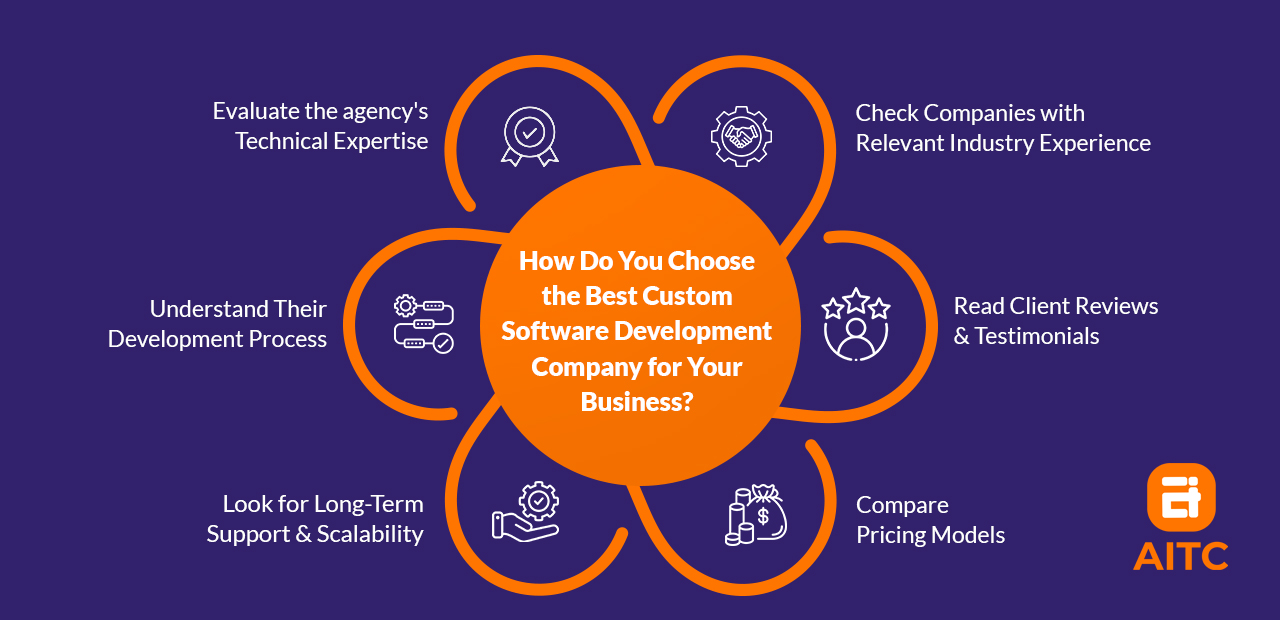
How Do You Choose the Best Custom Software Development Company for Your Business?
Selecting the right custom software development company is critical for ensuring a successful, scalable, and secure software solution. Businesses should evaluate potential partners based on experience, technical expertise, development methodologies, client feedback, pricing transparency, and post-launch support.
1. Check Companies with Relevant Industry Experience
Prioritize companies with domain-specific knowledge and proven case studies or success stories. Organizations that understand the nuances of your industry can design software that aligns with business workflows, compliance requirements, and operational objectives.
2. Evaluate Technical Expertise
When partnering with a software company, review their proficiency in programming languages, frameworks, cloud platforms, and database systems. Technical expertise ensures that the development team can deliver secure, scalable, and high-performing software suited to your business requirements.
3. Read Client Reviews and Testimonials
Businesses should use platforms like Clutch, GoodFirms, or Google Reviews to assess client satisfaction. Client feedback highlights delivery quality, communication, post-launch support, and the company’s ability to meet project deadlines and objectives.
4. Understand Their Development Process
When evaluating a custom software company, check whether they follow structured development methodologies such as Agile, Scrum, or DevOps. Iterative development approaches improve collaboration, testing, and delivery speed, ensuring that software is built efficiently and meets evolving business needs.
5. Compare Pricing Models
When hiring a software company, assess whether they use fixed pricing, hourly rates, or milestone-based payments. Transparent pricing with no hidden costs allows businesses to budget effectively, helps avoid financial surprises, and ensures value for investment.
6. Look for Long-Term Support and Scalability
When outsourcing a custom software development company, ensure they provide post-launch maintenance, bug fixes, feature updates, and scalability options. Ongoing support guarantees that the software evolves with your business, accommodates growing workloads, and adapts to new technologies or platforms.
Tips for Custom Business Application Development
For excellent custom application development, set clear goals, involve stakeholders, document requirements, apply agile practices, ensure security, plan for scalability, and test thoroughly before going live.
- Start with Clear Business Goals.
- Involve Key Stakeholders Early.
- Document All Requirements Clearly.
- Choose an Experienced Development Team.
- Use Agile Development Practices.
- Prioritize Security from the Beginning.
- Build for Future Growth (Scalability).
- Test Thoroughly Before Launch.
Key Takeaways
- Custom software development creates tailored solutions to meet specific business needs, offering more flexibility and control than off-the-shelf software.
- Scalability and flexibility are key benefits, allowing the software to grow and adapt with your business.
- Custom software ensures better data security, with advanced encryption, access control, and compliance options.
- Custom app offers long-term cost savings by reducing license fees, avoiding unnecessary features, and lowering training costs.
- The development process includes defining needs, documenting requirements, choosing the right team, and testing software thoroughly.
- Challenges include higher upfront costs, longer development timelines, the need for user training, and potential vendor dependency.
FAQs About Custom Software Development
1. How long does it take to develop custom software?
The development timeline for custom software depends on project complexity, required features, system integrations, and development team size. Simple applications can be delivered in a few months, whereas enterprise-grade solutions often require 6–12 months or longer, including planning, requirement analysis, design, coding, testing, and deployment.
2. Can custom software integrate with existing systems?
Yes. Custom software can be designed to seamlessly integrate with existing platforms like CRM, ERP, inventory management, accounting, or e-commerce systems. Proper integration ensures data consistency, automated workflows, centralized reporting, and real-time business insights.
3. What are the ongoing maintenance requirements for custom software?
Custom software requires regular maintenance, including updates, bug fixes, security patches, performance monitoring, and scalability adjustments. Continuous maintenance ensures long-term reliability, compliance, data security, and smooth adaptation to evolving business processes.
4. Is custom software more secure than off-the-shelf solutions?
Custom software can offer enhanced security because it is designed for a company’s specific workflows and IT environment. Features may include data encryption, role-based access, multi-factor authentication, secure APIs, and compliance with industry regulations such as GDPR or HIPAA. Security is integrated into design, reducing vulnerabilities compared to generic software.
5. How does custom software improve business decision-making?
By centralizing data and integrating multiple business systems, custom software enables real-time reporting, analytics dashboards, predictive insights, and automated decision support. This empowers organizations to make data-driven, timely decisions that improve operational efficiency and strategic planning.
6. Can small businesses afford custom software?
Yes. Although initial investment may be higher than off-the-shelf solutions, small businesses can achieve long-term ROI, cost savings, and workflow efficiency. Phased development, modular designs, and scalable solutions allow smaller organizations to adopt custom software affordably.
7. What are the common mistakes when developing custom software?
Frequent errors include:
- Unclear business requirements
- Skipping stakeholder input
- Neglecting testing or quality assurance
- Ignoring scalability and future growth
- Choosing inexperienced vendors
Following a structured development process with clear goals, documentation, and iterative testing reduces risks and improves software quality.
8. How is ROI measured for custom software?
ROI can be calculated by evaluating operational efficiency gains, reduced manual effort, lower software licensing costs, faster decision-making, improved security, and scalability. Custom software that evolves with the business delivers sustained financial and operational benefits over time.
9. Is custom software suitable for highly regulated industries?
Absolutely. Industries such as healthcare, finance, legal, and government services require software that ensures compliance, data protection, audit readiness, and workflow optimization. Custom solutions can be built to adhere to HIPAA, GDPR, SOX, or other industry-specific regulations.
10. How can businesses future-proof their custom software?
Future-proofing involves:
- Scalable architectures to handle growing user bases and workloads
- Modular designs for flexible feature updates
- Regular updates and maintenance for security and performance
- Integration planning for emerging technologies and platforms
This ensures the software adapts to evolving business needs, supports innovation, and continues to deliver long-term ROI.

Related insights
-in-Business_1763716856557-585605410_2025-11-21.png&w=3840&q=75)
The Rise of Virtual and Augmented Reality (VR/AR) in Business
21 Nov 2025

Choosing the Right E-Commerce Platform for Your Nepal-Based Business
21 Nov 2025

The Evolution of Software Development: A Journey Through Time
19 Dec 2025
Have a project in mind? Let's build something great.
Share your ideas or questions and our experts will get back to you shortly.
Unlock Expert Guidance
Need expert IT advice? Our seasoned professionals are here to help you navigate your tech challenges. Schedule a session with us and get personalized solutions tailored to your business needs.

Connect with Us and Let's Build Something Together
We'd love to hear from you! Whether you have questions, need support, or want to discuss a new project, our team is ready to assist. Fill out the form below, and we’ll get back to you as soon as possible.
Prefer a Direct Consultation?
Connect with our team for a 1-on-1 virtual session to discuss your project, understand your needs, and explore the right solution for your business.
What's Next?
- 1Connect with you at a convenient time
- 2Explore your needs, goals, and requirements
- 3Prepare a tailored proposal based on your needs
Why Choose Us
Connect with AITC
Select your inquiry type to route your request to the right department.
Our Office Locations
Operating across 3 key timezone hubs to serve global enterprise clients.