







Web
Applications
Frontend Web Development Guide: Html, Css, JS & Top Frameworks


sachin pokharel
10 Mar 2026
Frontend development is a core component of software development and a specialized discipline within web development. It focuses on building the user interface (UI) and client-side experience of websites and web applications. When users open a website or a mobile web app, everything they see and interact with—buttons, navigation menus, images, text content, layouts, forms, and animations—is part of the frontend layer.
But how do developers actually transform a UI/UX design into a fully functional website? How do they turn a simple layout concept into a fast, responsive, and user-friendly web interface that works seamlessly on desktops, tablets, and smartphones?
In this guide, you’ll explore the frontend development process within the larger context of modern web development. You’ll learn how developers structure web pages, implement responsive layouts, and optimize performance, accessibility, and usability to deliver a better user experience (UX).
You’ll also discover how to build a high-converting landing page, improve user engagement, and apply practical strategies related to responsive design, page speed optimization, and interface usability.
Finally, we’ll introduce some of the most widely used frontend frameworks and development tools, such as modern JavaScript frameworks and UI libraries, that help developers build scalable, efficient, and high-performance web applications.
Let’s get started.
What is Frontend Development
Frontend development is the discipline of designing, building, and optimizing the user-facing part of websites and web applications. It focuses on creating visual interfaces, interactive elements, and seamless user experiences that users directly see and engage with. By combining UI/UX design principles with programming technologies such as HTML, CSS, and JavaScript, frontend developers ensure that digital products are responsive, accessible, and device-agnostic. This practice bridges the gap between creative design concepts and functional implementation, enabling websites and applications to perform efficiently while maintaining an intuitive and engaging interface.
Core component of Frontend Technology
Frontend web development is powered by three core technologies: HTML, CSS, and JavaScript, each serving a distinct architectural role.
Front-End integrates HTML for structure, CSS for presentation, JavaScript for behavior, Frameworks for architecture, Responsive Design for adaptability, APIs for data exchange, and Development Tools for workflow management. Each component depends on and enhances the others, forming a tightly connected system.
1. HTML — Structural Foundation of All Layers
HTML (HyperText Markup Language) defines the Document Object Model (DOM), which becomes the structural blueprint of a web page inside the Web Browser.
The DOM created by HTML is the same structure that:
- CSS styles to control visual presentation
- JavaScript manipulates to create dynamic behavior
- Frameworks abstract into component-based architectures
- APIs inject dynamic data into
- Responsive Design adapts for multiple devices
Semantic HTML elements such as headings, navigation, forms, and metadata improve Accessibility and SEO while simultaneously providing meaningful structure for CSS styling and JavaScript interaction.
In short, HTML is not isolated — it is the structural dependency for CSS, JavaScript, and Framework rendering.
2. CSS — Visual Layer Built on HTML Structure
CSS operates directly on the DOM elements defined by HTML. Without HTML structure, CSS has no target for styling.
CSS layout systems such as Flexbox and Grid organize HTML elements spatially, while Media Queries modify CSS behavior based on screen size, enabling Responsive Web Design.
The visual hierarchy created by CSS directly affects:
- User Experience (UX)
- Accessibility compliance
- Engagement metrics
- Perceived performance
Additionally, JavaScript can dynamically modify CSS classes and inline styles, meaning JavaScript behavior and CSS presentation are interconnected at runtime.
CSS transforms HTML structure into a usable and aesthetically coherent User Interface.
3. JavaScript — Behavioral Engine Acting on HTML and CSS
JavaScript interacts with the same DOM structure defined by HTML and styled by CSS.
It manipulates DOM elements, responds to user events, fetches API data, and dynamically updates content. When JavaScript modifies the DOM, CSS automatically re-renders the updated elements in the browser.
Through asynchronous communication methods such as AJAX and the Fetch API, JavaScript connects the User Interface to backend systems via APIs.
JavaScript therefore acts as the functional bridge between UI design and backend logic.
4. Front-End Frameworks — Architectural Abstraction of HTML, CSS, and JavaScript
Front-End Frameworks such as React, Angular, and Vue.js extend JavaScript but fundamentally operate on the HTML DOM and CSS styling system.
Frameworks structure UI into reusable components, which internally combine:
- HTML-like templates (structure)
- CSS styling (presentation)
- JavaScript logic (behavior)
For example, React’s Virtual DOM optimizes how changes in JavaScript state update the actual HTML DOM, which then triggers CSS rendering updates inside the browser.
Frameworks do not replace HTML, CSS, or JavaScript — they orchestrate them into scalable architectures.
5. Responsive Web Design — Adaptation of CSS Based on Device Context
Responsive Web Design depends primarily on CSS Media Queries but is built on HTML structure and influenced by JavaScript behavior.
Media Queries detect screen size, while fluid grids adjust layout proportions. This adaptation ensures that the same HTML structure and JavaScript functionality remain usable across:
- Desktop
- Tablet
- Mobile
Search engines using mobile-first indexing evaluate responsive behavior as part of ranking signals, meaning Responsive Design directly connects technical implementation to SEO performance.
6. APIs — Data Layer Connected Through JavaScript
APIs connect the Front-End Application to backend services.
JavaScript sends requests to API endpoints and receives structured data (JSON or XML). That structured data is then injected into the HTML DOM and styled using CSS.
This creates a connected cycle:
API → returns data
JavaScript → processes data
HTML → structures data
CSS → presents data
Without JavaScript, APIs cannot dynamically update the interface. Without HTML and CSS, API data cannot be rendered meaningfully.
7. Version Control & Development Tools — System Support Infrastructure
Development Tools support all other layers of Front-End Development.
- Git tracks changes to HTML, CSS, and JavaScript files.
- GitHub and GitLab enable collaboration across teams building UI systems.
- Chrome DevTools analyzes DOM structure, CSS rendering, and JavaScript execution.
- Build tools such as Webpack and Vite bundle and optimize HTML, CSS, and JavaScript assets for production environments.
These tools ensure performance optimization, debugging accuracy, and deployment stability across the entire architecture.
What is a Front-End development Framework?
Front-end development frameworks are pre-written code, tools, and libraries that help developers build websites and web apps faster and more efficiently.
Think of them like pre-made building blocks or templates for creating the user interface (UI) of a site.
Instead of writing all the code from scratch, developers use these frameworks to organize their code. They come with built-in features such as responsive design, navigation menus, and grid systems so websites work well on both computers and mobile devices.
Popular Front-end Frameworks
React.js, Vue.js, Angular, and Bootstrap are top modern front-end development frameworks. They are favored for their speed, scalability, positive developer experience, and user-friendly interfaces.
Let's understand them in detail.
React.js
React.js (also known as React) is a popular JavaScript library used to build interactive user interfaces (UI). This framework is popular for creating websites and apps that update content quickly without reloading the page.
Developed by Facebook, React helps developers create fast and dynamic web pages by breaking the UI into small parts known as components. These components are reusable, which makes coding more organized, efficient, and easier to manage.
Imagine a website like Facebook or Instagram, where content constantly changes based on user actions—likes, comments, and new posts. React is perfect for building a similar kind of real-time, user-driven experience.
Vue.js
Vue.js is a lightweight, open-source JavaScript framework used for building user interfaces (UI) and single-page applications. It’s known for being easy to learn, flexible, and beginner-friendly, making it a popular choice for both new and experienced front-end developers.
Created by Evan You, Vue.js is a progressive front-end framework that blends the best features of React and Angular, while keeping things simple and beginner-friendly. If you're new to front-end development, Vue offers a gentle learning curve and makes it easy to build fast, interactive, and responsive websites without feeling overwhelmed.
Angular
Angular framework is created by Google for the development of fast and dynamic web applications. Unlike tools like React or Vue, Angular comes with everything you need to build large or complex apps.
Think of Angular as a complete toolbox for building websites. It helps control how pages load, how data moves around, and how users interact with your site.
Bootstrap
Bootstrap is a popular open-source CSS framework that helps you design clean, responsive, and mobile-friendly websites quickly, without needing to start from scratch.
Originally developed by Twitter, Bootstrap provides you with ready-made tools like buttons, forms, navigation bars, layout grids, and more.
You simply plug them into your website and customize the look with your styles. This saves time and makes your site look polished and professional, even if you’re not a design expert.
Tailwind
Tailwind CSS is a utility-first CSS framework that makes it easy to build custom websites. Instead of using pre-made templates or components, Tailwind gives you hundreds of small utility classes you can apply directly in your HTML to style elements exactly how you want.
So, rather than switching back and forth between your HTML and a separate CSS file, you can build your design right in the markup. Need to change the background color? Add spacing? Adjust font size? You can do it all with short, simple class names like bg-blue-500, p-4, or text-lg.
That’s what makes Tailwind special—full control, less custom CSS, and a smoother workflow. Whether you're designing a simple blog or a full web app, Tailwind helps you create responsive, fast-loading, and clean-looking interfaces without the bloat.
Now, hope you have understood the basics of frontend development. Let’s explore how a frontend developer creates an attractive landing page for better user engagement.
Frontend Development Step-by-Step Process
Frontend Development is a structured workflow where each step is interconnected through key entities like UI/UX design, HTML, CSS, JavaScript, and Testing.
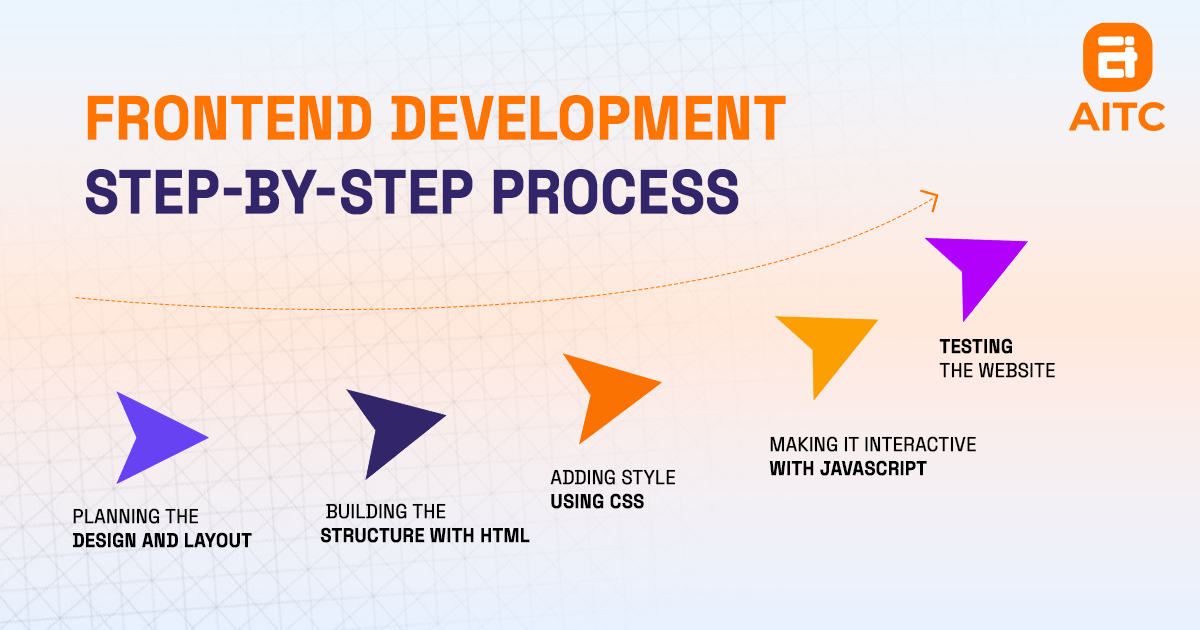
Step 1: Planning the Design and Layout (UI/UX Design)
The first critical step in the Front-End ecosystem is UI/UX design, where designers create visual layouts, wireframes, and prototypes using tools such as Figma and Adobe XD. These design artifacts define the structure of pages, placement of elements, and interaction patterns.
The planned layout directly guides HTML, determining how pages and sections are structured in the DOM. It also pre-defines CSS styling, including colors, typography, spacing, and responsive breakpoints, ensuring that presentation is aligned with the design vision. Additionally, UI/UX design specifies JavaScript interactions, such as sliders, menus, modals, and other interactive components, which will later bring behavior to the interface.
At this stage, every visual and functional requirement is mapped as an entity, creating a blueprint that connects design, structure, styling, and interactivity.
Step 2: Building the Structure with HTML (Content & Semantic Entities)
HTML serves as the structural entity that transforms the UI/UX blueprint into a machine-readable format. Each HTML element—headings, paragraphs, images, links, and forms—represents a semantic content entity.
These HTML entities act as hooks for CSS styling, linking the structural layer to presentation rules. They also serve as interactive nodes for JavaScript, enabling dynamic behavior such as event handling or content updates. Moreover, HTML ensures that the visual layout defined in UI/UX design is correctly mapped in the DOM, forming a foundation for all subsequent front-end layers.
By using semantic HTML, developers create entities that improve SEO, accessibility, and interoperability with styling and behavioral layers.
Step 3: Adding Style Using CSS
CSS defines presentation entities that control the visual appearance of HTML elements. Style rules are directly associated with HTML entities through classes, IDs, and element selectors, creating a semantic connection between structure and presentation.
CSS implements the design specifications from UI/UX design, including colors, fonts, spacing, layout grids, and responsive breakpoints. It also interacts with JavaScript; dynamic changes triggered by user actions, such as animations, transitions, or interactive effects, update CSS in real time.
Through media queries, CSS ensures that presentation entities adapt to desktop, tablet, and mobile devices, making the interface responsive. This synchronization of structure, presentation, and behavior ensures that all visual and functional entities are aligned.
Step 4: Making It Interactive with JavaScript
JavaScript introduces behavioral entities that add interactivity to HTML and CSS. By manipulating the DOM, JavaScript can change the structure or visibility of HTML elements, while dynamically modifying CSS to control animations and responsive interactions.
It implements the interactive components defined in UI/UX design, including sliders, pop-ups, form validations, and other dynamic features, ensuring that users can interact seamlessly with the interface. JavaScript also connects the front-end interface to APIs or backend systems, completing the link between structure, presentation, and application logic.
All behavioral entities created by JavaScript are later validated in testing, ensuring they function as intended across different browsers and devices.
Step 5: Testing the Website
Testing serves as the validation layer, verifying that all previous entities—HTML, CSS, JavaScript, and UI/UX design—work together cohesively. Structural entities are checked for integrity, styling entities for consistency, and behavioral entities for correct functionality.
Testing also validates responsive entities, ensuring layouts, media queries, and dynamic behaviors work seamlessly on desktop, tablet, and mobile devices. Semantic HTML and proper styling are tested for SEO and accessibility, confirming that search engines and assistive technologies interpret the content correctly.
Through testing, all entities in the front-end ecosystem are connected and verified, creating a fully functional and interactive website.
Also Read: Static Web Page
Why Quality Frontend Development Is Important in Website or Application Development?
Front-end web development is important because it's the part of a website or app that users see and interact with first. From the moment someone lands on your site, the look, layout, and ease of use shape their first impression.
Creates a Positive First Impression
When a website looks clean, loads quickly, and is easy to use, it builds trust with visitors. A professional frontend design encourages people to stay longer, explore more, and engage with your content.
Ensures Mobile Responsiveness
A good frontend adapts to all screen sizes — smartphones, tablets, laptops, offering a seamless experience regardless of the device.
Enhances User Experience (UX)
Frontend development ensures easy navigation, intuitive design, and smooth interactions. This makes the site user-friendly and encourages users to return.
Improves Website Performance
Efficient frontend code and optimized assets (like images and scripts) help the site load faster, which boosts conversion, user satisfaction, and search engine rankings.
Supports SEO Goals
Search engines value clean, semantic frontend code and fast-loading pages. A well-structured frontend enhances Google bot crawlability and indexing, helping your site rank higher, reducing bounce rate.
Reflects Brand Identity
The frontend is where your brand’s design, tone, and personality are reflected. It reinforces credibility and tells users who you are.
Boosts Conversions
A clear, engaging, and well-functioning frontend leads to better user conversion rates — whether it's sales, sign-ups, or other actions.
Best Practices for Front-End Development
Use semantic HTML, responsive design, clean CSS, optimize performance, ensure accessibility, and use Git for better results.
Following the best, well-proven strategies in front-end development makes your websites faster, cleaner, and easier to use.
Here are some essential, simple, and best practices every front-end developer should follow:
1. Write Clean, Semantic HTML
Using semantic tags like <header>, <section>, <article>, and <footer> to give meaning to your content.
Clean, semantic HTML helps with SEO, accessibility, and makes your code easier to maintain.
2. Separate Structure and Style
Always organize your CSS in separate files or using component-based styling (like with React or Tailwind CSS). This keeps your code organized, scalable, and easier to debug.
3. Make It Responsive
Design your layout to work on all devices — mobile phones, tablets, laptops, and desktops.
Use responsive design techniques like:
- CSS Flexbox or Grid
- Media queries
- Mobile-first design
Over 60% of web traffic is from mobile users. A responsive website keeps users happy on any device screen they’re on.
4. Optimize for Performance
A slow website frustrates users and hurts your search engine ranking.
You can improve performance by:
- Compressing images.
- Using lazy loading.
- Minifying CSS and JavaScript.
- Reducing HTTP requests.
Faster sites have lower bounce rates and better user engagement.
5. Improve SEO with Front-End Techniques
Good on-page SEO increases your site’s visibility in search engines like Google.
Always Use:
- Descriptive title tags and meta description
- Semantic HTML
- Fast loading speeds
- Proper use of header tags (<h1>, <h2>, etc.)
6. Use Version Control (Like Git)
Always track your code using a version control system like Git. It helps you manage changes, collaborate with others, and roll back if something breaks. Even if you're working solo, Git is your safety net.
7. Keep Your Code DRY and Readable
DRY stands for "Don't Repeat Yourself." Avoid repeating the same code — use components, functions, or reusable classes.
Also, write readable code with proper indentation, comments, and clear naming conventions. Clean code saves time, reduces bugs, and is easier to hand off to another developer (or your future self!).
Key Takeaways
- The frontend is what you see and click when you open a website or app. It is the visual elements and interactive features that enhance the user experience.
- HTML, CSS, and JavaScript are popular frontend languages for building websites.
- React.js, Vue.js, Angular, Bootstrap, and Tailwind provide pre-built components and structures, enabling faster, more efficient, and scalable development.
- Building a frontend involves clear steps: Planning the design, structuring with HTML, styling with CSS, adding interactivity with JavaScript, and Testing.
- A well-developed frontend ensures mobile responsiveness, enhances user experience (UX), improves website performance, supports SEO goals, reflects brand identity, and ultimately boosts conversions.
- Adhering to principles like semantic HTML, responsive design, performance optimization, effective SEO techniques, version control (Git), and writing clean, readable (DRY) code leads to robust, user-friendly, and maintainable websites.
- Contact AITC International for high-quality website development. We provide professional, user-friendly websites that reflect your brand and drive results.
FAQs
Q. What is a frontend development roadmap for aspiring web developers?
The frontend development roadmap includes:
- Learn HTML, CSS & JavaScript (core web building blocks).
- Learn Git or GitHub for version control.
- Build responsive designs using Flexbox or Grid.
- Learn React or Vue for dynamic UIs.
- Practice with APIs.
- Deploy using Netlify or Vercel.
- Build projects & portfolio for job readiness.
Q. How Long to Become a Proficient Frontend Developer?
It depends on your consistency and practice. With daily effort, you can build simple UIs in 2–3 months. To become job-ready and master frameworks like React or Vue, it usually takes 10–12 months.
Q. How much do frontend developers earn?
Front-end developer salaries typically range from $38,659 to $167,500 per year, depending on factors like location, experience, and company size.
Here’s a quick salary breakdown by experience level:
- Junior Frontend Developer: Usually between $38,659 and $107,359
- Mid-level Frontend Developer: Often falls between $104,000 and $121,000
- Senior Frontend Developer: Ranges from $115,000 up to $167,500
Q. What’s the Difference Between Frontend and Backend in Web Development?
When you visit a website, everything you see and interact with directly, like buttons, images, text, forms, and layout, is part of the frontend.
On the other hand, backend development is what works behind the scenes. It’s like the engine room of a website. Backend development handles the server, database, and application logic. It handles user authentication, data storage, and fetching content.

Related insights

How IoT is Shaping Smart Businesses
19 Dec 2025

A Beginner’s Guide to Building Scalable Web Applications
11 Mar 2026

How to Register .NP Domain in Nepal for Free – Step-by-Step Guide
28 Nov 2025
Have a project in mind? Let's build something great.
Share your ideas or questions and our experts will get back to you shortly.
Unlock Expert Guidance
Need expert IT advice? Our seasoned professionals are here to help you navigate your tech challenges. Schedule a session with us and get personalized solutions tailored to your business needs.

Connect with Us and Let's Build Something Together
We'd love to hear from you! Whether you have questions, need support, or want to discuss a new project, our team is ready to assist. Fill out the form below, and we’ll get back to you as soon as possible.
Prefer a Direct Consultation?
Connect with our team for a 1-on-1 virtual session to discuss your project, understand your needs, and explore the right solution for your business.
What's Next?
- 1Connect with you at a convenient time
- 2Explore your needs, goals, and requirements
- 3Prepare a tailored proposal based on your needs
Why Choose Us
Connect with AITC
Select your inquiry type to route your request to the right department.
Our Office Locations
Operating across 3 key timezone hubs to serve global enterprise clients.